
Set Up Pockets by Hoopy
Four steps, about ten minutes. When you're done you'll have one number, Good to Go, that tells you what's safe to spend.
Add your paycheck
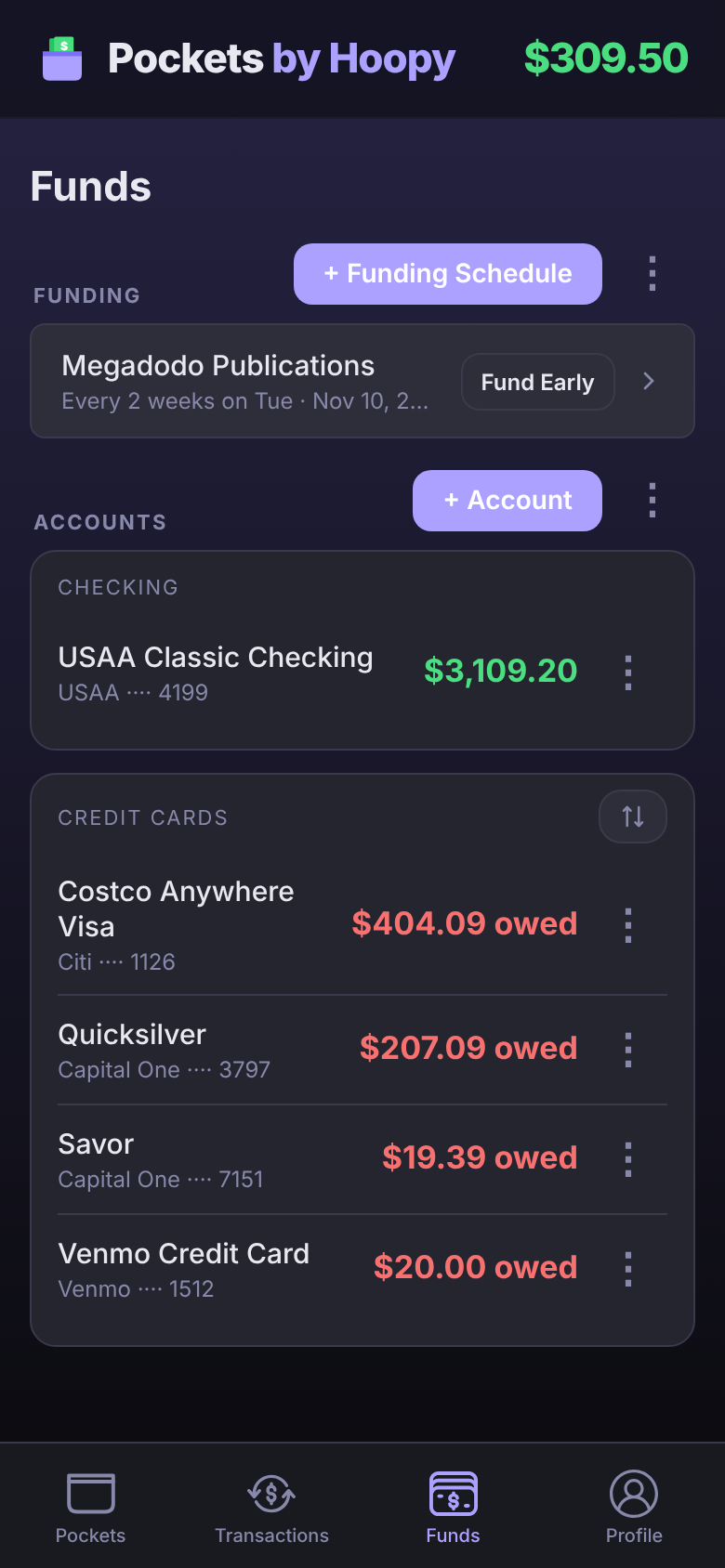
Your Pockets fill up on payday, so the app needs to know when you get paid. This is a Funding Schedule.
- Tap Funds at the bottom of the screen.
- Tap + Funding Schedule.
- Give it a name, like "Paycheck", then set how often you're paid, your Next Pay Date and the Estimated Amount.
- Tap Save.
Already have a bank connected? Detect Paycheck fills this in from your deposits.
Add your bank account
Good to Go starts from your real balance, so add the account your paycheck lands in.
- On Funds, tap + Account.
- Connect your bank to sync your balance and transactions. You sign in with your bank directly, and we never see your bank password.
- Rather not connect? Add a manual account and type in your balance instead.
Make your first Pocket
A Pocket is money set aside for one thing. Start with your biggest bill.
- Tap Pockets, then + Pocket.
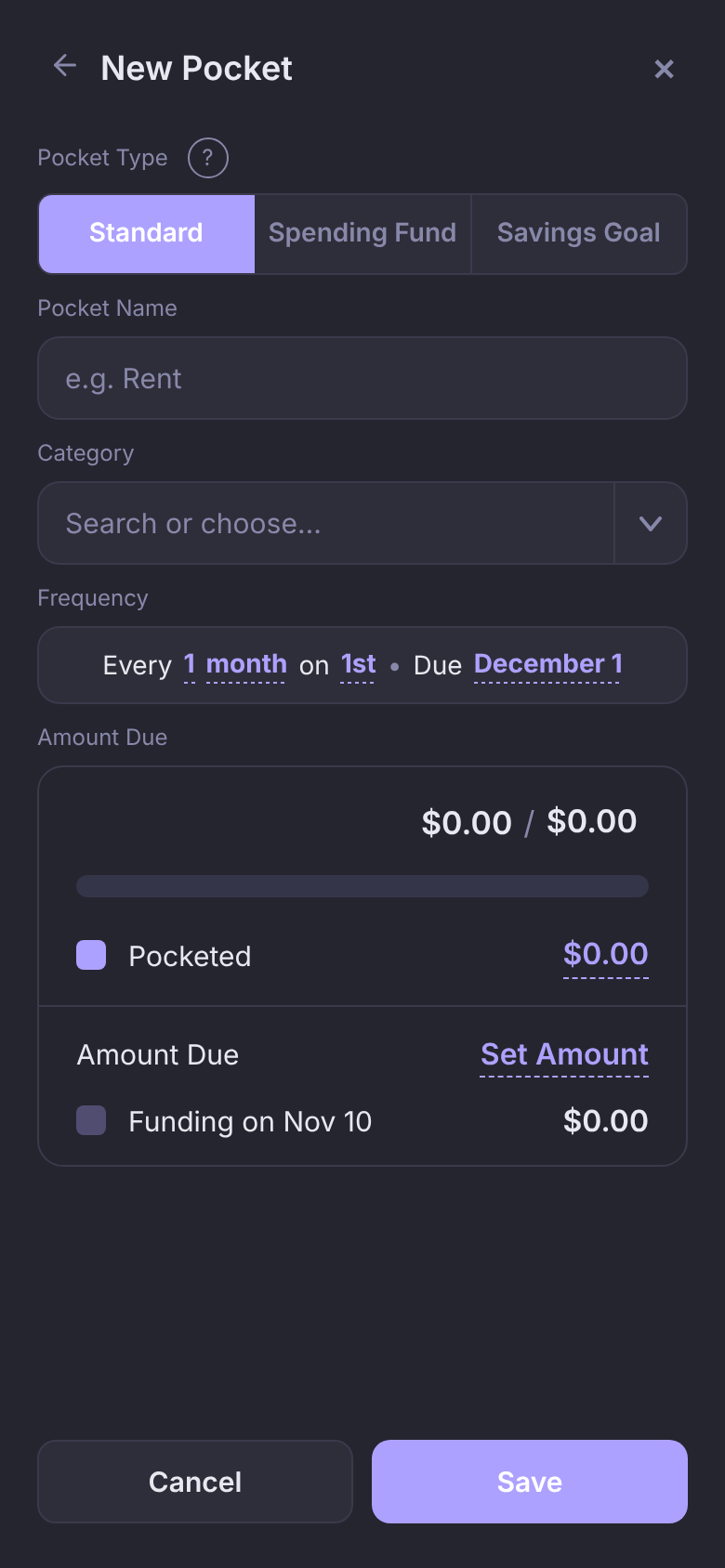
- Pick a type. Standard is for bills with a due date, Spending Fund is a budget like Groceries, and Savings Goal is for saving toward something.
- Name it, then tap the frequency sentence to set how often it's due and when it's due next.
- Tap Set Amount next to Amount Due and enter the bill.
- Tap Save.
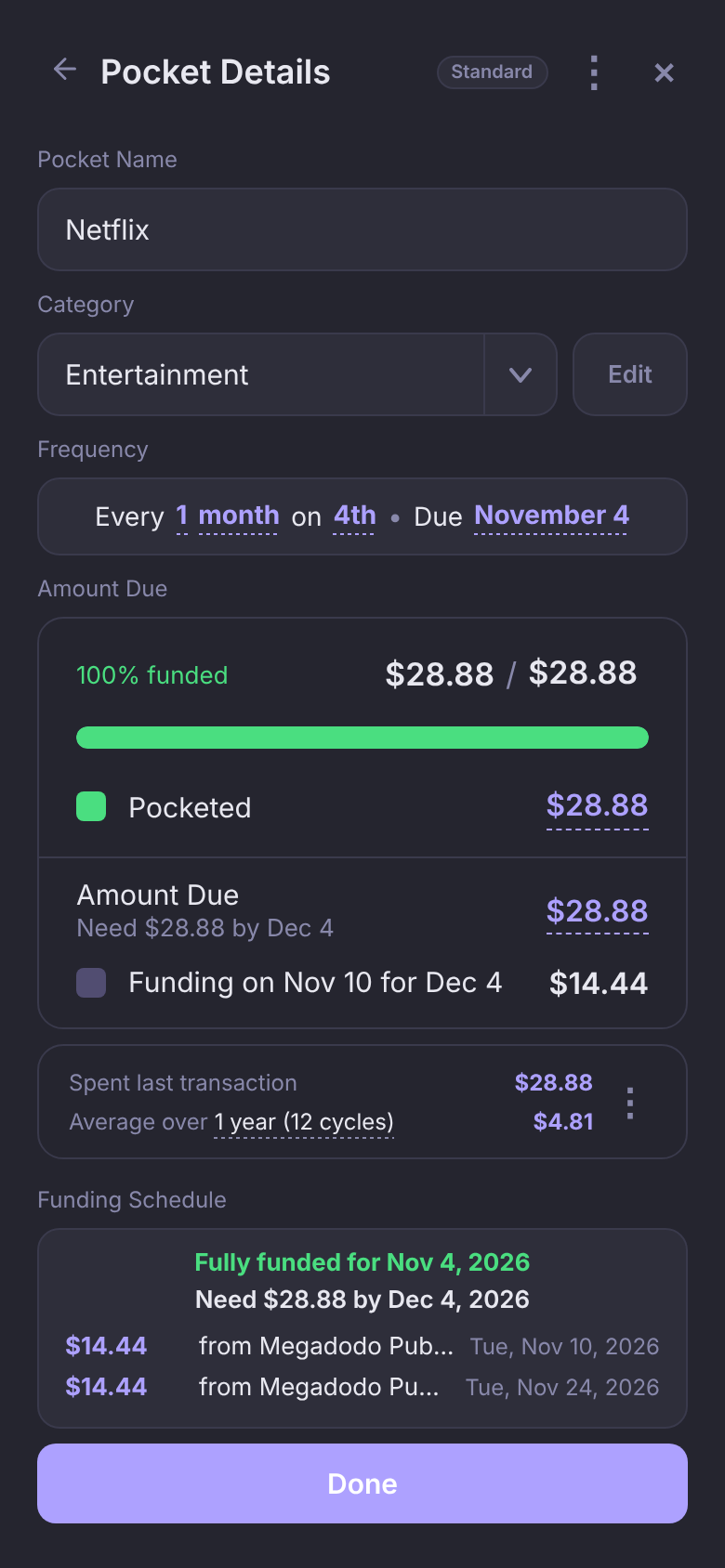
Once it's saved, each payday adds its share, so the bill is fully funded before it's due. Open the Pocket any time to see what's Pocketed and when it funds next.
Read Good to Go
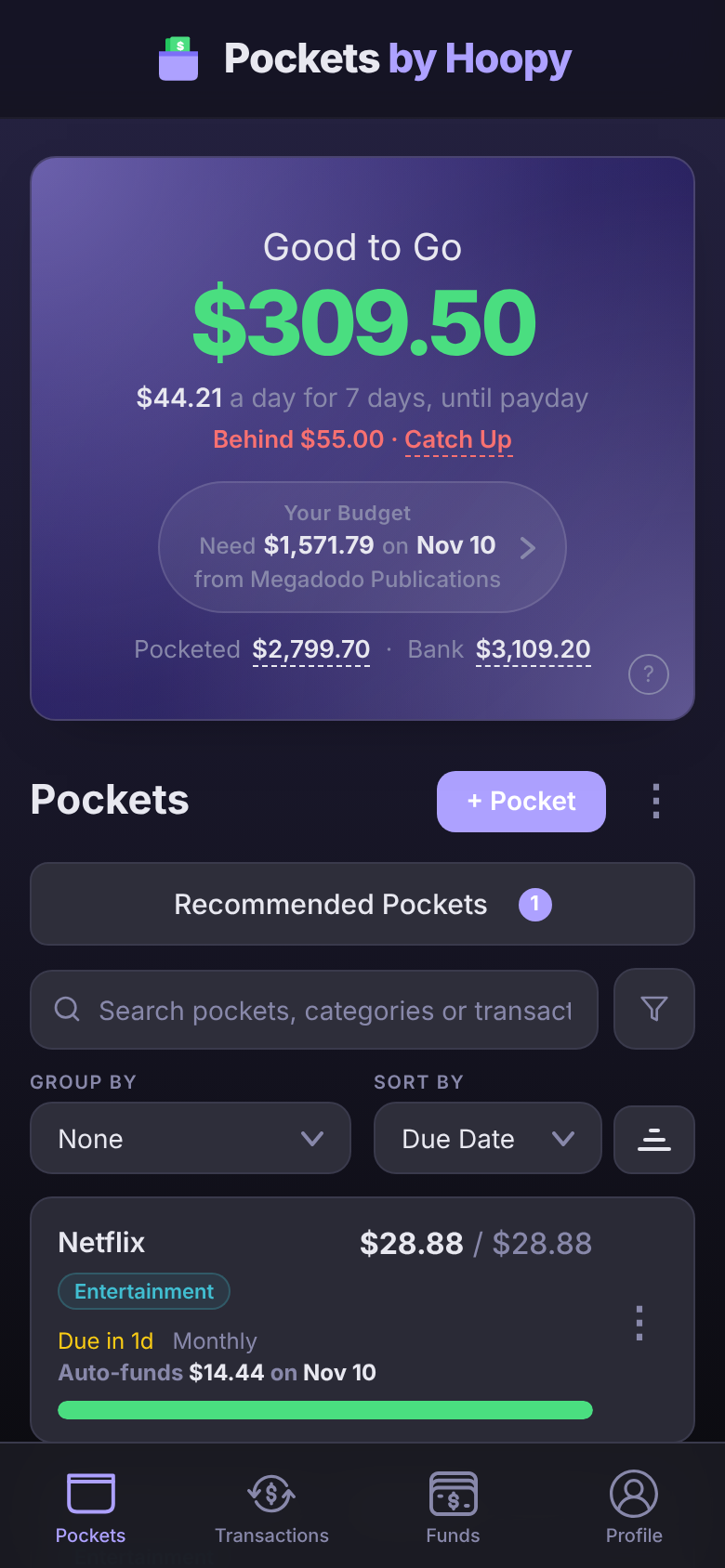
The number at the top of Pockets is your Good to Go: your balance minus everything in your Pockets. That's what you can spend without shorting a bill.
- Your Budget under it shows what your next paycheck funds into your Pockets, and when. Tap it to see your upcoming paychecks. To fund your Pockets before payday's automatic funding, use Fund Early on Funds or in Your Budget.
- Pocketed · Bank are the two figures behind it. Tap either one to see what makes it up.
- Behind … · Catch Up appears when a bill can't be fully funded in time. Tap Catch Up to move the shortfall in now.
When you spend on something a Pocket is for, open the transaction and pick that Pocket. It spends from the Pocket instead of Good to Go.