
Choosing a Pocket Type
Every Pocket is one of three types. Pick the one that matches how you use the money, and payday funds it the right way.
Which type to pick
- Standard for anything with a due date: Rent, Electric, Netflix, a yearly Costco membership, a birthday gift.
- Spending Fund for money you spend down between paychecks: Groceries, gas, eating out.
- Savings Goal for saving toward something with no due date: a trip, an emergency fund, a down payment.
Standard: bills and anything with a date
You set the Amount Due and when it's due, and Pockets works backward from the date. Each payday before the due date funds a share, so the Pocket is full the day before the bill lands.
- A $600 insurance bill six months out asks for a little each payday instead of $600 the week it's due.
- When you pay it and link the payment to the Pocket, the Pocket empties and the due date moves on to the next one.
Push the due date further out and each payday asks for less. Pull it closer and each asks for more.
Spending Fund: budgets you spend from
A Spending Fund gets its Fund Amount every payday. Spend from it between paychecks, and payday refills it. Under Funding Method you choose how it refills:
- Fund Amount adds the full amount every payday, on top of anything left. $100 left in a $400 Groceries Pocket? Payday adds $400, bringing it to $500.
- Top Up adds just enough to bring it back to the Fund Amount. $100 left? Payday adds $300, bringing it back to $400.
With Top Up, what you see Pockets plan for payday stays at the full $400 all period, so the number doesn't move as you spend. Only what's needed actually goes in, never more.
Link a Spending Fund to a Savings Goal and whatever you didn't spend moves to the goal on payday, before the Spending Fund refills. See Savings Goals.
Savings Goal: saving with no due date
A Savings Goal gets its Fund Amount every payday and keeps growing, because nothing drains it on a schedule. Add an optional Goal Amount and the Pocket shows the date you'll reach it. $1,000 at $100 a paycheck is ten paychecks away. More in Savings Goals.
Set the type
- Tap Pockets, then + Pocket.
- Under Pocket Type, choose Standard, Spending Fund or Savings Goal. The rest of the screen changes to match: a Standard Pocket asks for a due date and Amount Due, the other two fund every payday.
- Fill in the name and amount, then tap Save.
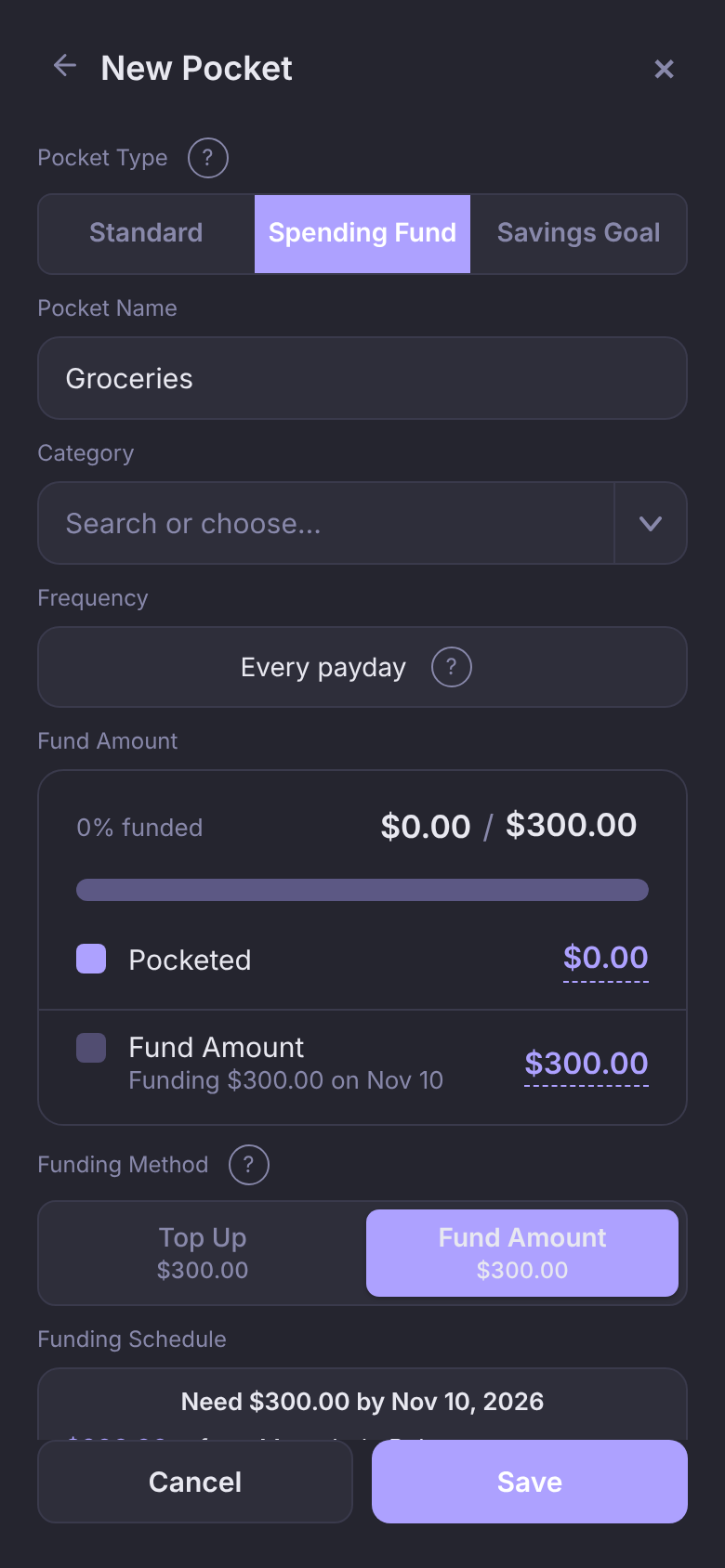
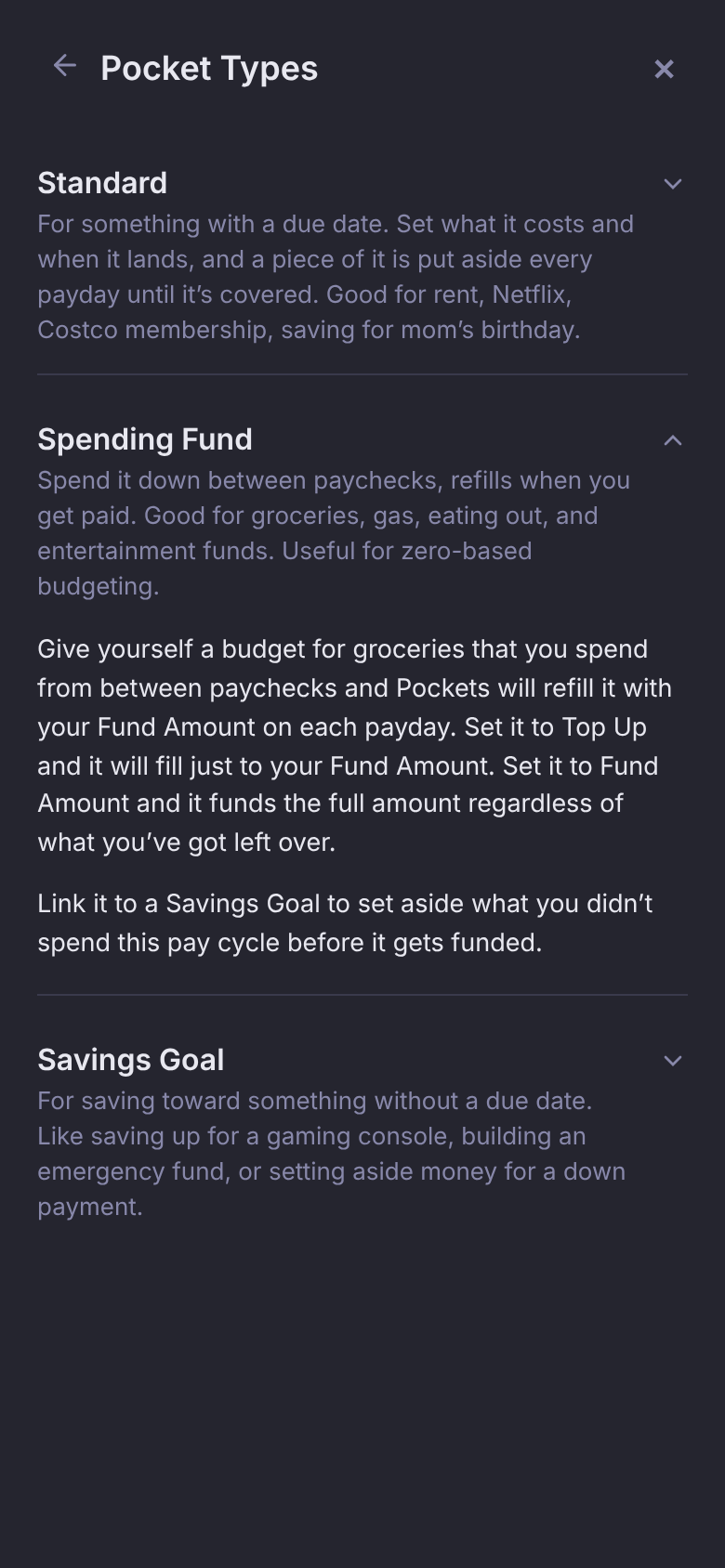
Not sure? Tap the ? next to Pocket Type for a short description of each.
After you save
A saved Pocket shows its type as a badge at the top of Pocket Details, next to the ⋮. On the Pockets list, Spending Funds and Savings Goals carry the same badge; Standard Pockets don't, so a long list stays easy to read.
To switch a saved Pocket to another type, open it, tap ⋮, then Change Pocket Type.
Questions
Is a birthday gift a Standard Pocket or a Savings Goal?
Standard. It has a date, so Pockets can spread it across the paydays before it. Use a Savings Goal when there's no date to save toward.
Why does my Spending Fund say "Every payday" instead of a due date?
Spending Funds and Savings Goals are funded every payday rather than toward a due date, so their frequency is your paycheck.
Which Funding Method should I use?
Top Up if you want the Pocket to start each period at the same amount. Fund Amount if you'd like what you don't spend to pile up in the Pocket.