
Savings Goals
Save for anything without a due date, like a trip, a Switch 2 or an emergency fund, a little every payday.
Make a Savings Goal
- Tap Pockets, then + Pocket, and choose Savings Goal.
- Name it, like "Vacation Fund".
- Tap Set Amount next to Fund Amount and enter what goes in each payday.
- Want a target? Tap Set Goal and enter the Goal Amount. It's optional.
- Tap Save.
Funded every payday
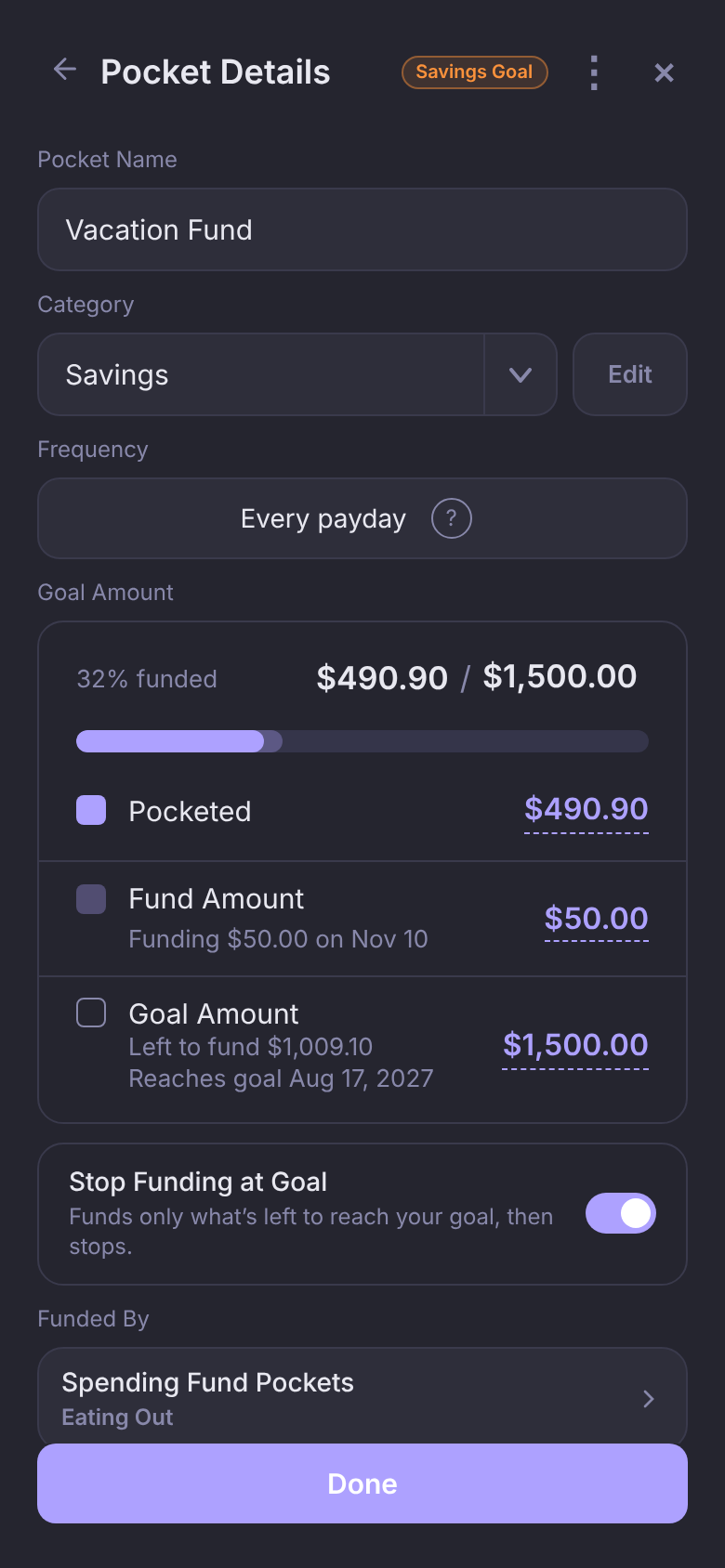
Your Fund Amount goes in every payday, whatever is already there. Set a $50 Fund Amount and a $1,500 Goal Amount, and your Vacation Fund gets $50 each payday.
- With a Goal Amount, the progress bar measures against it, and the Goal Amount row says what's left and when you'll get there: "Left to fund $1,009.10" and "Reaches goal Aug 17, 2027".
- The date counts your real upcoming paydays. Once you're there, it reads "Goal reached".
- No Goal Amount? The Pocket just shows what's Pocketed and keeps growing.
Nothing drains a Savings Goal on a schedule. When you spend from it, link the purchase to the Pocket like any other.
Stop Funding at Goal
Once you've set a Goal Amount, Stop Funding at Goal appears under it, and it's on by default. Near the end, payday funds only what's left: at $480 of $500 with a $25 Fund Amount, the last funding is just $20, and nothing goes in after that.
Turn it off to keep funding past the goal.
Let your leftovers do the saving
Link Spending Funds to a Savings Goal, and whatever you didn't spend moves to the goal on payday. Then the Spending Funds refill as usual.
- Open the Savings Goal.
- Under Funded By, tap Spending Fund Pockets.
- Pick the Spending Funds that should feed it, like Eating Out or Groceries, and tap Done.
- Tap Save.
Each payday, before anything is funded, what's left in Eating Out moves to the Vacation Fund, then Eating Out gets its full Fund Amount again. Fund Early does the same.
Saving $500 at $25 a paycheck takes 20 paychecks. Come in $15 under on groceries each payday and you're there in 13.
A linked Spending Fund shows "Funds Vacation Fund" where its Funding Method was. There's no Top Up or Fund Amount choice on it: it's emptied before it's funded, so both would put in the same amount.
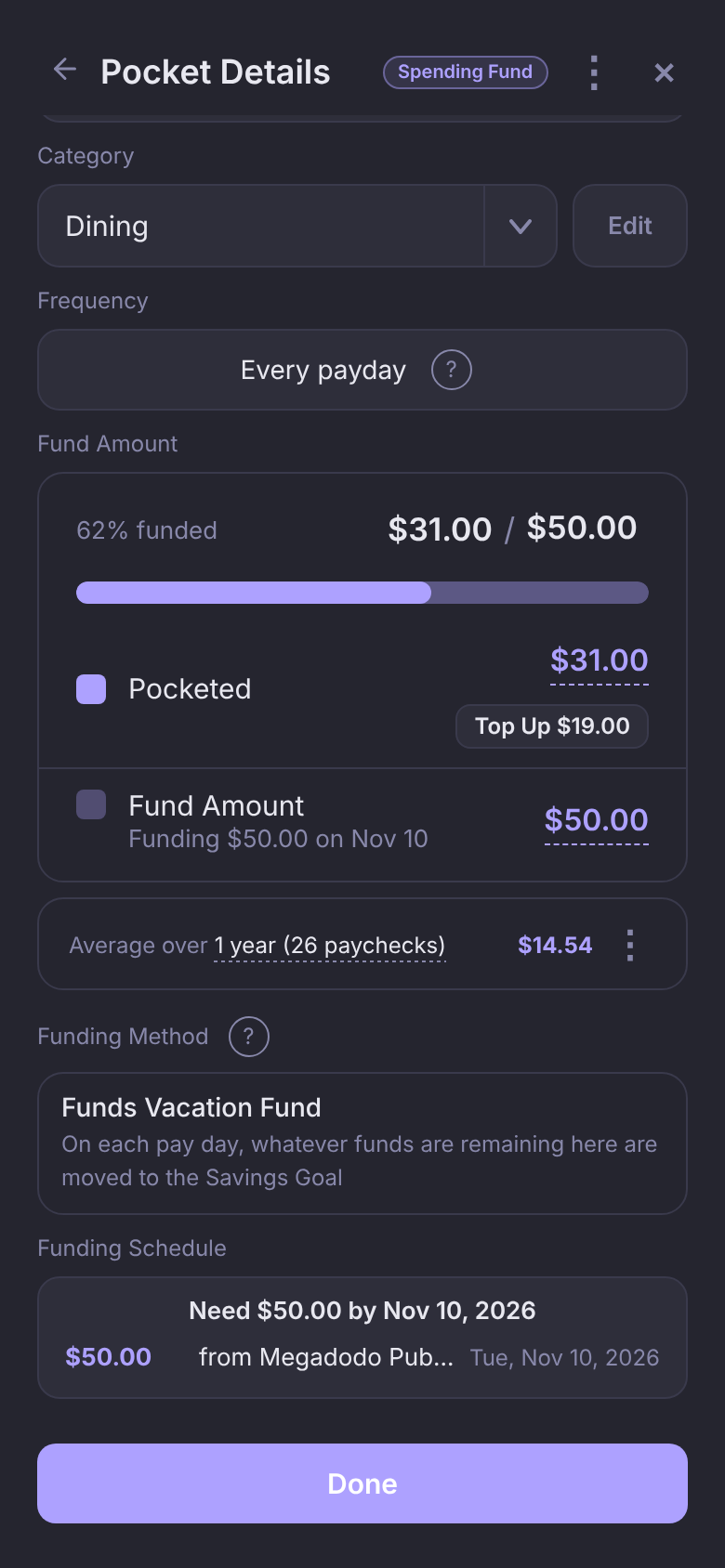
The reached-by date doesn't guess at future leftovers. Each one that lands raises what's Pocketed, so the date moves closer on its own.
Questions
Do I need a Goal Amount?
No. Without one, the Pocket still gets its Fund Amount every payday. You just won't see a reached-by date or have Stop Funding at Goal.
Can one Spending Fund feed two goals?
No, one goal each. Pick a Spending Fund that already feeds another goal and Pockets asks whether to switch it to this one.
How do I unlink a Spending Fund?
Open the Savings Goal, tap Spending Fund Pockets under Funded By, tap it to deselect it, tap Done, then Save.