
How Funding Works
Each payday, your Pockets take their share of your paycheck on their own, so every bill is covered before it's due.
Payday shares
Funding a Pocket sets money aside from Good to Go. Nothing moves at your bank: Good to Go goes down by the amount, and the Pocket goes up.
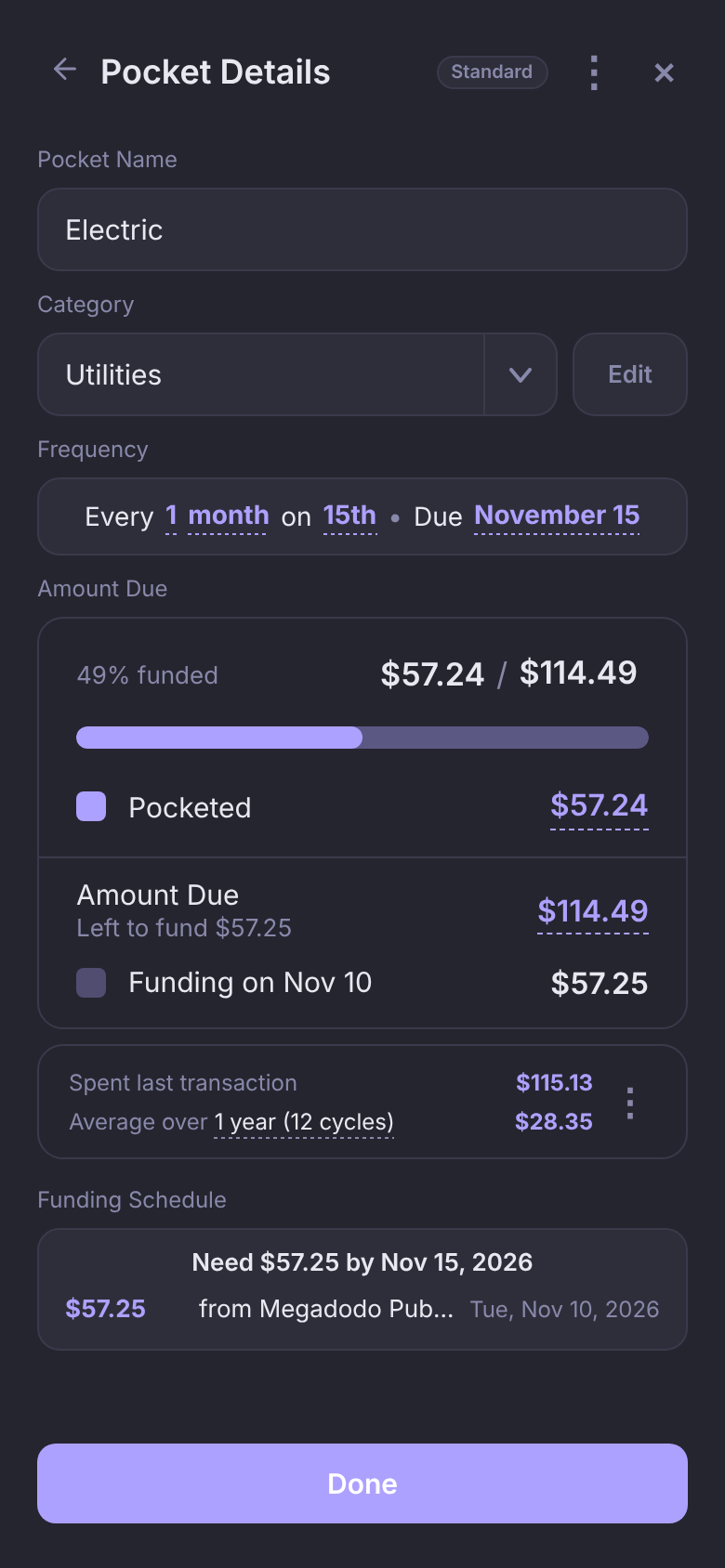
- Standard Pockets split the Amount Due across the paydays before the due date, so each is full the day before it's due. A $114.49 Electric bill due Nov 15 that already holds $57.24 gets the other $57.25 on the Nov 10 payday.
- Spending Funds and Savings Goals get their Fund Amount every payday.
Every Pocket card shows its next funding, like "Auto-funds $57.25 on Nov 10". Open the Pocket to see the whole plan under Funding Schedule.
Automatic funding
At midnight on payday, in your time zone, Pockets funds every Pocket's share, as long as Good to Go can cover it. If your paycheck hasn't landed yet, it waits:
- When the paycheck shows up in your account that day, your Pockets are funded then.
- The night after payday, your Pockets are funded no matter what, even if that takes Good to Go below zero. A bill never misses its share because a paycheck ran late.
Automatic funding is free on every plan. To change the time zone it runs on, go to Profile → Preferences → Time Zone.
Fund Early
Paid early, or want your Pockets funded ahead of payday? Fund that paycheck early.
- Tap Funds. Each schedule under Funding has a Fund Early button.
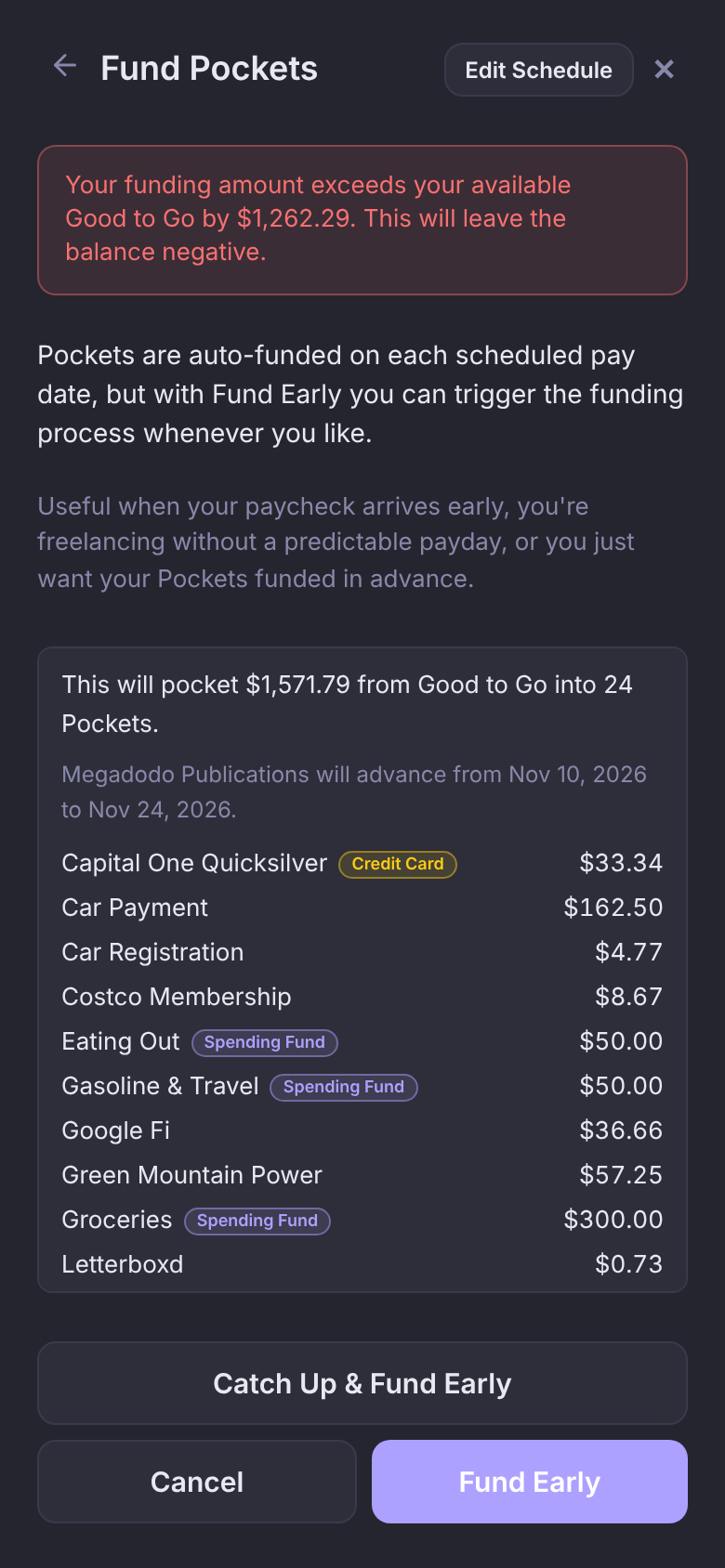
- Tap Fund Early on the schedule you were paid from. The Fund Pockets screen lists every Pocket and what it gets.
- Check the total, then tap Fund Early.
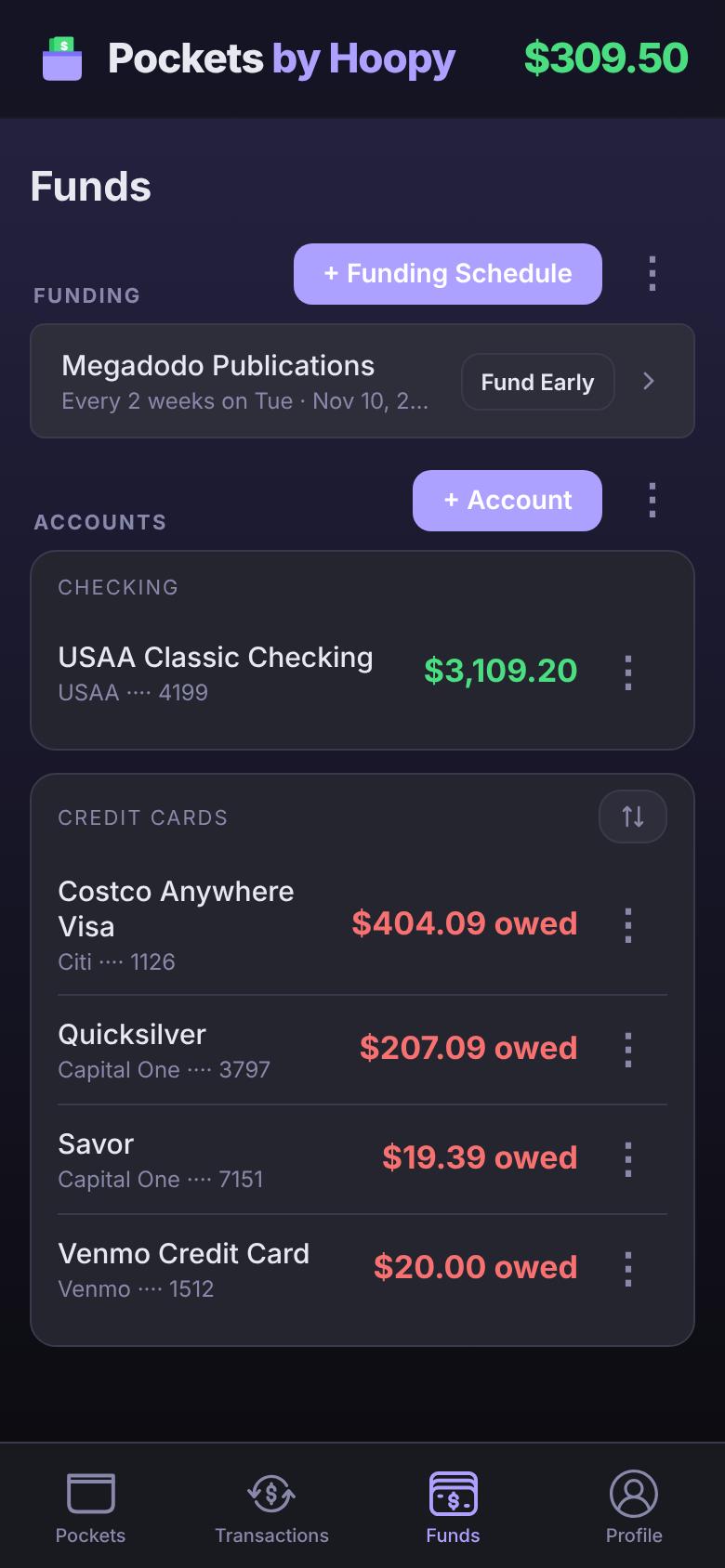
It's also a tap away from Good to Go: tap Your Budget, and Fund Early sits beside each schedule's next paycheck.
Fund Early counts as that payday's funding: the schedule moves on to its next pay date ("will advance from Nov 10, 2026 to Nov 24, 2026"), so payday won't fund the same Pockets twice. If the total is more than your Good to Go, the screen tells you by how much before you confirm.
Behind, Catch Up and Top Up
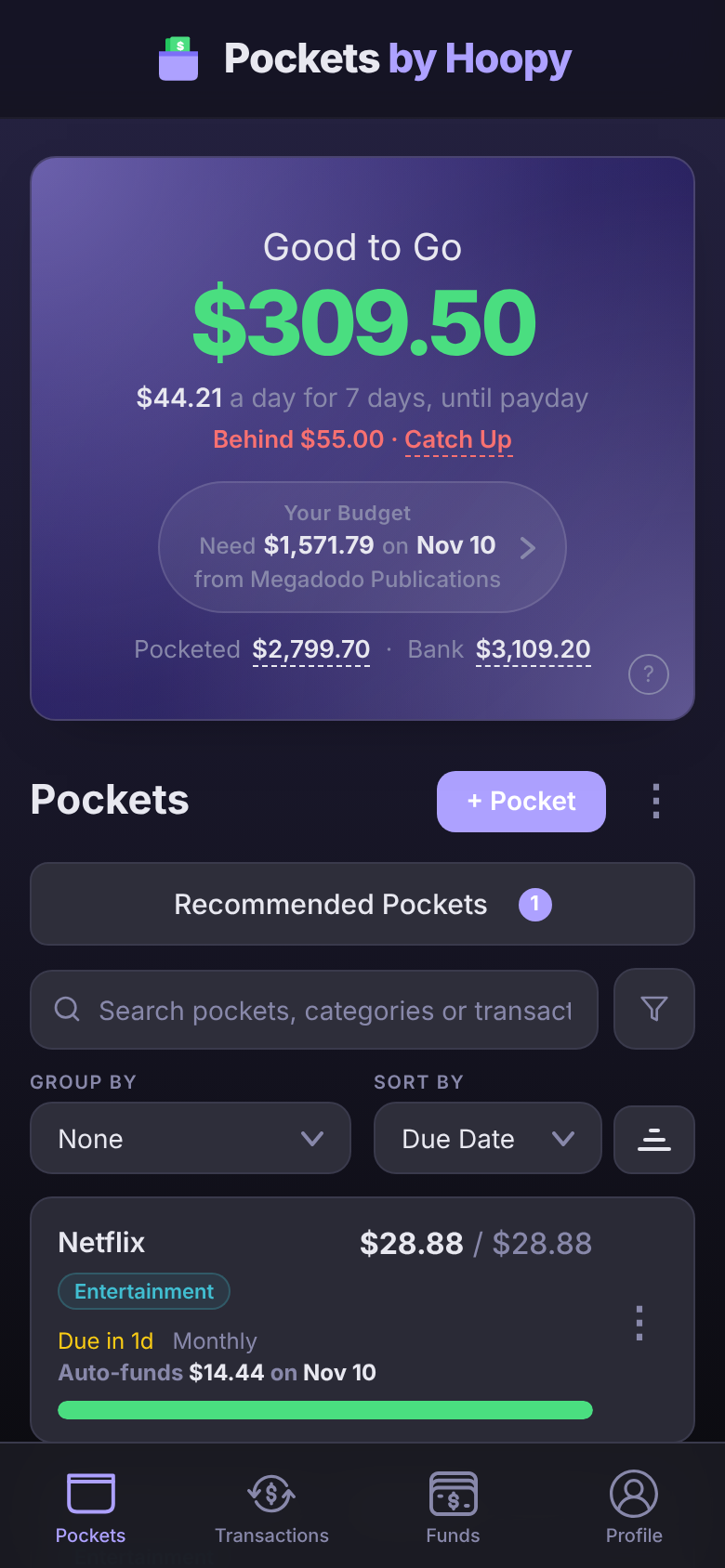
A Standard Pocket is Behind when the paydays left before its due date can't fully fund it, say because you made it three days before the bill, or moved money out of it. Its card shows a Behind badge, and Pocket Details shows "Behind" and the amount in red.
- Catch Up, on the Behind line under Good to Go, moves in what your Pockets should hold by now, from Good to Go. Tap it to see each Pocket and amount, then tap Catch Up beside one Pocket, or Catch Up All for every one. Turn on Top up your spending funds? to refill your Spending Funds at the same time.
- For one Pocket, open it and tap Catch Up under Pocketed, then Save.
- On a Spending Fund, the same spot offers Top Up, which refills it to its Fund Amount now. $200 left in a $300 Groceries Pocket reads "Top Up $100.00".
- On the Fund Pockets screen, Catch Up & Fund Early does both in one go.
Fully funded, and the Need line
When a Pocket holds its whole Amount Due, it reads 100% funded, and funding moves on to the next bill. The funding line names the later date, so a payday funding toward next month's bill says so.
The Need line says what the bill being funded still needs, and by when. Under Funding Schedule it reads like "Need $57.25 by Nov 15, 2026". When a Pocket holds more than its current bill, the extra counts toward the next one:
Your $90 Internet Pocket holds $144 before its Oct 20 bill. It's fully funded, so funding moves on to Nov 20, and the extra $54 counts toward it: Need $36.00 by Nov 20 · $54.00 carried over.
The Need under Good to Go, like "Need $1,571.78 on Nov 03", is what your next paycheck will fund across all your Pockets. Tap it to see your upcoming paychecks and where Good to Go is headed.
A bill that's past due
A Pocket whose due date has passed shows "Overdue" and the number of days on its card. Pockets keeps the money in it until you link the payment, because that money is for the bill you haven't paid yet.
- Nothing carries forward from an unpaid bill. If that Internet Pocket's $144 Oct 20 bill isn't linked yet, the next bill gets planned in full: Need $90.00 by Nov 20.
- Link the payment by opening the transaction and picking the Pocket. The Pocket empties and its due date moves on.
- If nothing's linked a few days after the due date, Pockets sends you a notification so it doesn't slip by.
Funding History
See every funding run, automatic or not: on Pockets, tap ⋮, then Funding History. (On Funds, it's the ⋮ next to + Funding Schedule.)
- Each run shows its date, its total, how many Pockets it funded, and how it ran: Manual for Fund Early, Auto · Pay Day at midnight, Auto · Deposit when your paycheck landed.
- Tap a run to see what each Pocket got.
Questions
Why didn't my Pockets fund at midnight?
Good to Go couldn't cover the funding yet, usually because the paycheck hadn't landed. Pockets funds when it does, and the night after payday it funds regardless.
If I tap Fund Early, will payday fund again?
No. Fund Early moves the schedule on to its next pay date, so that payday is done.
Does funding move money between bank accounts?
No. Pockets are part of your real balance, set aside. Funding lowers Good to Go and raises the Pocket by the same amount.