
Multiple Pay Schedules Premium
Paid by more than one job, or have a multiple income household? Every Pocket shows exactly how much each paycheck covers.
One Funding Schedule is free. Adding a second, and every one after it, is part of Premium.
Get PremiumAdd another paycheck
- Tap Funds, then + Funding Schedule.
- Name it, like "Partner", then set how often it pays, its Next Pay Date and its Estimated Amount.
- Tap Save.
Both schedules now sit under Funding on the Funds screen, each with its own Fund Early.
Every paycheck, on every Pocket
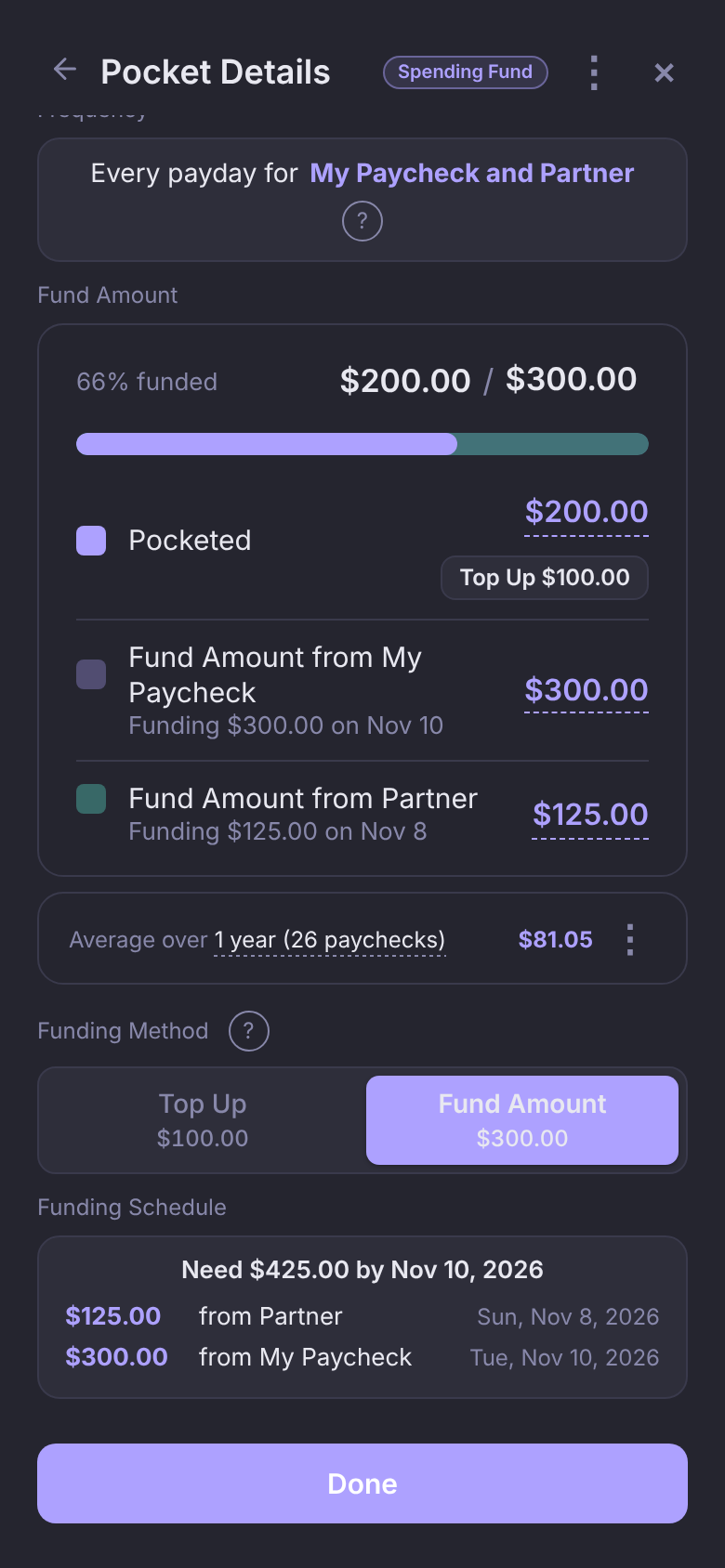
With more than one schedule, each Pocket lists a line per paycheck: "From My Paycheck" and "From Partner" on a Standard Pocket, "Fund Amount from My Paycheck" and "Fund Amount from Partner" on a Spending Fund or Savings Goal.
A paycheck that doesn't fund the Pocket reads $0.00. Tap the amount next to any paycheck to change what it funds; setting it above $0 is all it takes to start.
Split a bill between paychecks
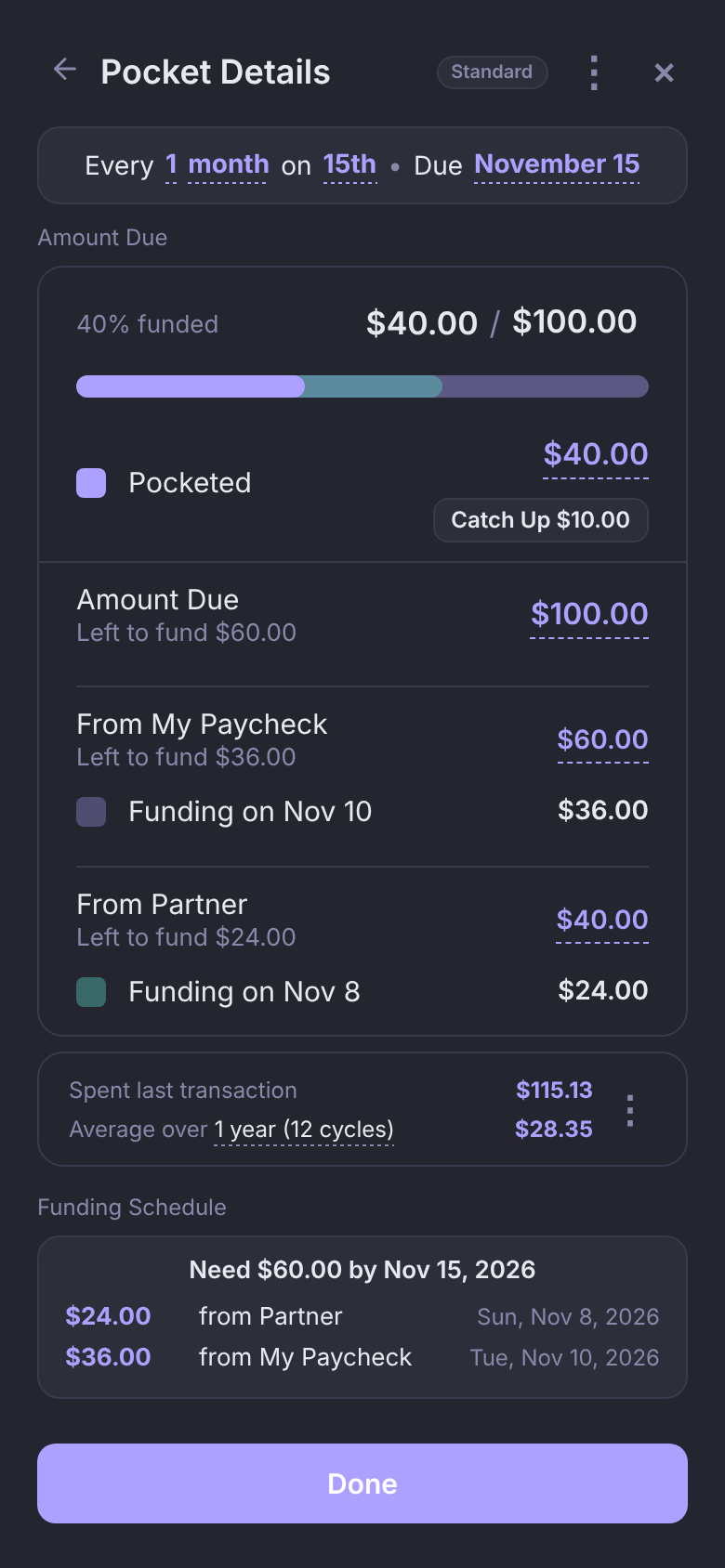
Set your $100 Electric Pocket to $60 from your paycheck and $40 from your partner's. Change one and the other adjusts, so they always add up to the bill.
- Each paycheck shows its part, what it has left to fund, and when it funds next.
- Each paycheck's funding is its own color on the progress bar.
A Fund Amount for every paycheck
Your Groceries Pocket can take $300 from your every-other-Tuesday paycheck and $125 from your partner's, and each payday funds its own amount. A Spending Fund needs at least one paycheck above $0.
On a Savings Goal, give it a Fund Amount from both paychecks and the date you'll reach the goal counts both.
No bill gets left behind
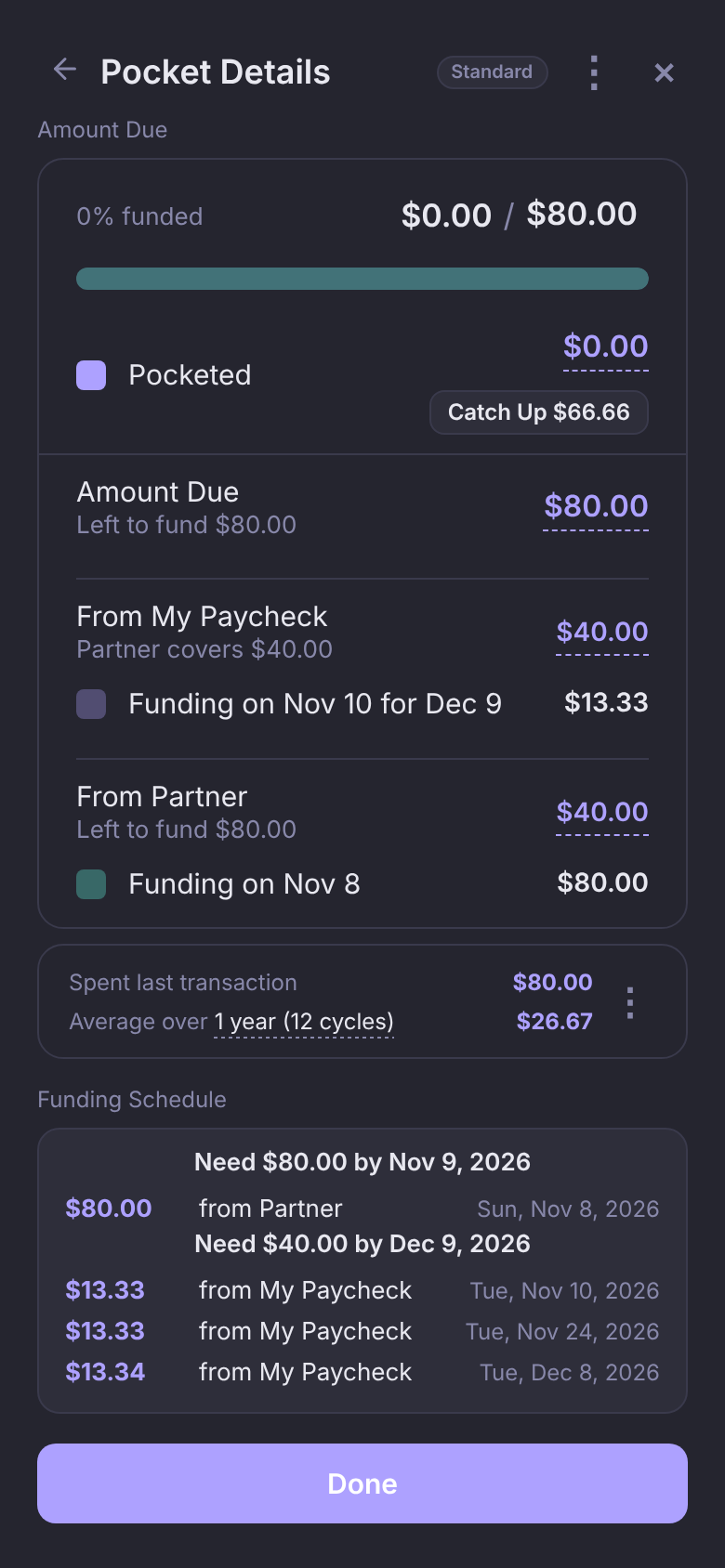
If a bill's paycheck won't land before it's due, whichever paycheck comes in time covers the difference automatically, and the Pocket tells you which one.
Your $80 Internet bill is due Nov 9 and split $40 and $40. Your paycheck isn't until Nov 10, so your partner's Nov 8 paycheck funds the whole bill: "Partner covers $40.00". Your paycheck starts on its $40 for the Dec 9 bill instead.
A Pocket only shows Behind when no paycheck can get there in time.
A color for each paycheck
- On Funds, tap a schedule to open it.
- Tap the color dot next to its name and pick a color.
- Tap Save.
Every Pocket's bar and paycheck rows use that color, so you can tell at a glance which paycheck funds what.
Seeing it all together
- The Need under Good to Go shows your very next paycheck, with that schedule's name under it. Tap it to see upcoming paychecks from every schedule.
- Funding History (Pockets, then ⋮) shows every paycheck's funding together, each run labeled with its schedule.
- One schedule is your primary. To change it, open a schedule, tap ⋮, then Set as Primary. Leftovers from Spending Funds move to your Savings Goals on the primary schedule's payday.
Questions
Do I have to split every Pocket?
No. Leave a paycheck at $0.00 and it doesn't fund that Pocket. A bill can come entirely from one paycheck.