
Connect Claude or ChatGPT
Ask an AI about your money in plain language, with your real Pockets behind every answer. It's free, and you can disconnect any time.
What you can ask
- "Can I afford a $200 concert this weekend?"
- "Which of my bills are behind, and what will my next paycheck fund?"
- "What recurring charges don't have a Pocket?"
- "Move $50 from Fun Money to Car Repair."
Every change it makes shows in that Pocket's history, marked as made by the AI. Prefer it only reads? Turn off Let it make changes when you connect.
The address
Both apps ask for this:
https://pockets.byhoopy.app/mcp
Claude
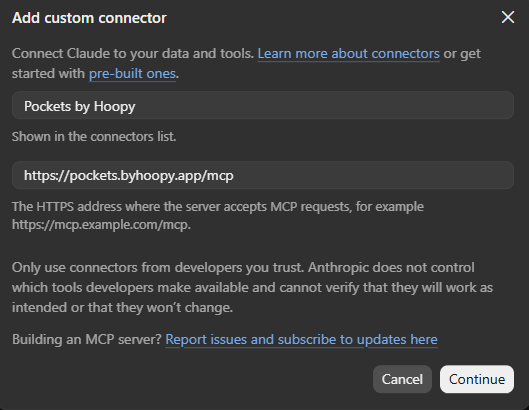
- In Claude, open Settings → Connectors.
- Tap + Add, then Add Custom Connector.
- Name it Pockets by Hoopy and paste the address above.
- Tap Continue.
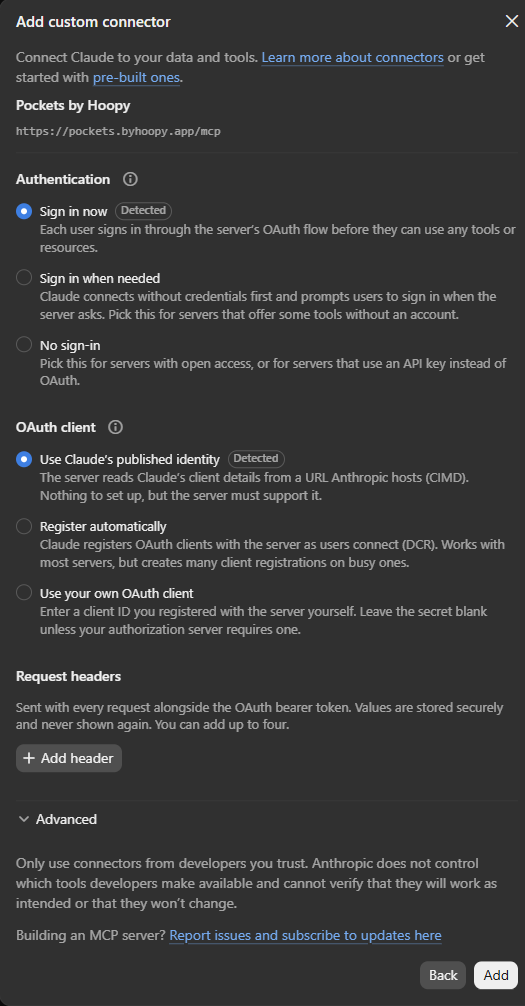
- Claude checks the server and fills in the rest: Sign in now and Use Claude's published identity are already selected and marked Detected. Leave them as they are and tap Add.
- Sign in with your Pockets by Hoopy login and choose Allow.
ChatGPT
Do this on the ChatGPT website. Adding a custom server isn't available in the ChatGPT app.
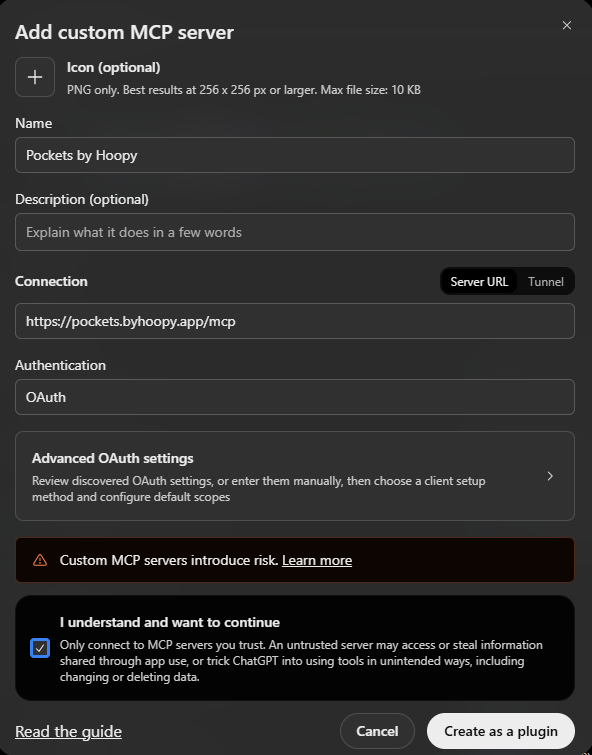
- Open Plugins, choose Add, then Add Custom MCP Server.
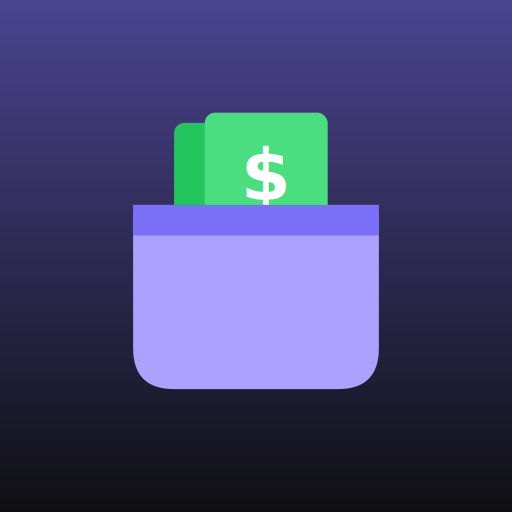
- Name it Pockets by Hoopy. Want the icon too? Download it below and add it under Icon (optional). (Claude adds it on its own.)
- Under Connection, leave Server URL selected and paste the address above.
- Leave Authentication on OAuth. ChatGPT finds the rest on its own.
- Tick I understand and want to continue, then Create as a Plugin.
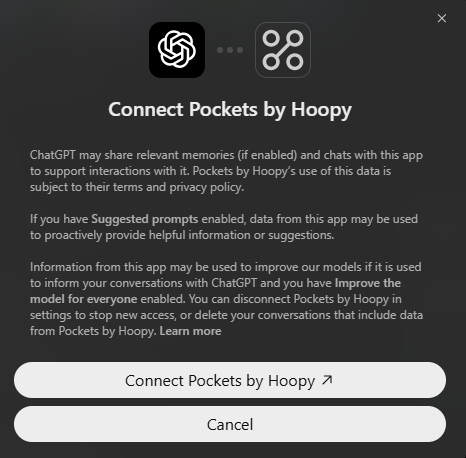
- Choose Connect Pockets by Hoopy, then sign in with your Pockets by Hoopy login and choose Allow.
Disconnecting
In Pockets by Hoopy, go to Profile → Connected AI Apps and tap Disconnect. The AI loses access right away. You can also remove it from the AI app's own connector settings.
Questions
Can it see my bank login?
No. It sees what the app shows you: your Pockets, transactions, balances and Funding Schedules. It can't connect or disconnect banks, and it can't change your account settings.
Does it cost anything?
Not from us. Connecting is free on every plan. The AI app's own plan decides whether custom connectors are available to you.