
Preferences
Make Pockets by Hoopy run on your clock and show money the way you read it. All of it is under Profile → Preferences.
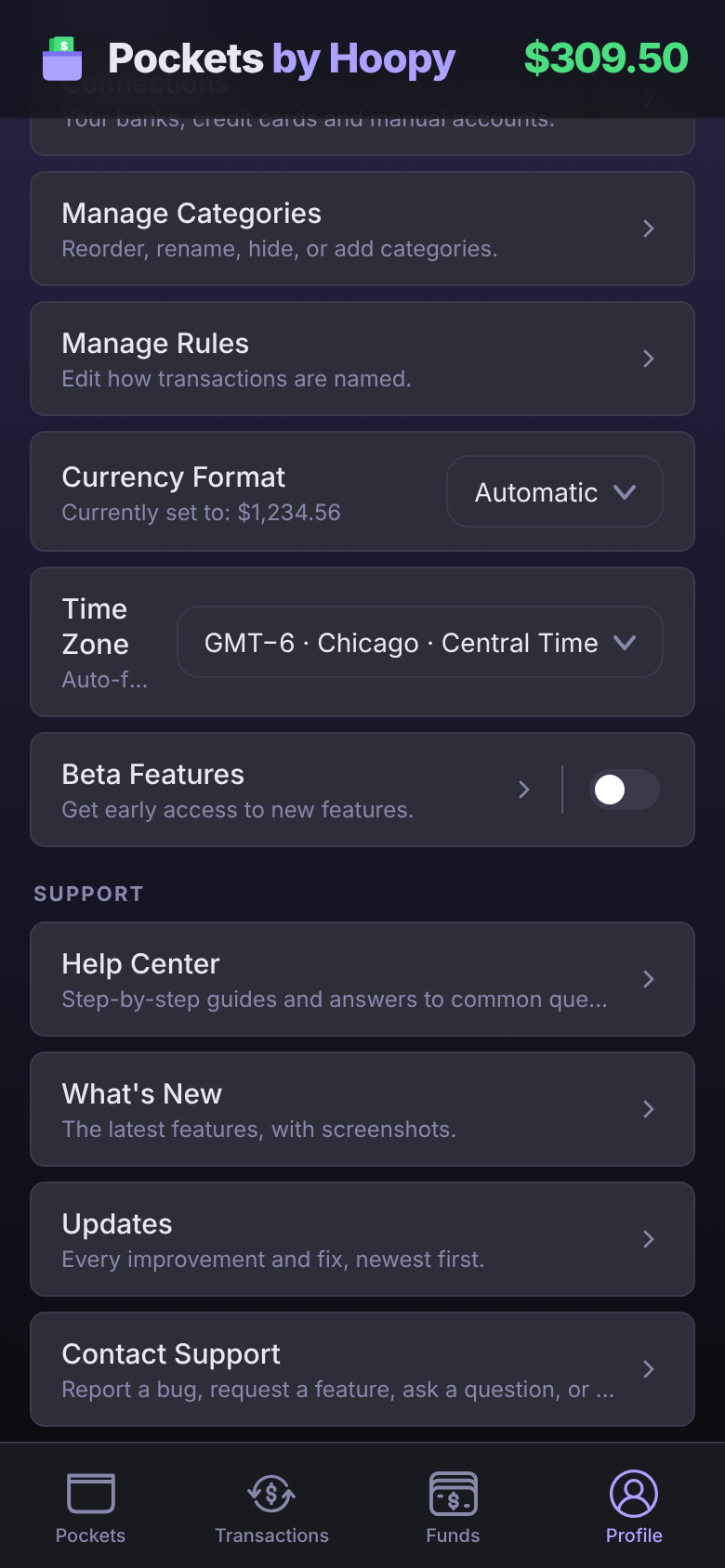
Time Zone
Payday funding runs at midnight in your time zone, so your Pockets are funded as your payday starts, not the evening before.
- It's set for you. The first time you sign in, Pockets uses your device's time zone.
- Moved or traveling? If your device's time zone stops matching, Pockets asks once whether to switch. Tap Update to use the new one, or Keep to stay where you are.
- To change it yourself, tap the Time Zone menu and pick a zone. Your current zone and your device's zone are at the top, and you can type to search.
Currency Format
Choose how amounts are written: 1,234.56, 1.234,56, 1 234,56 or 1’234.56. Automatic follows your device. The line under the setting shows how your money will look.
This only changes the separators. It never changes which currency an account is in.
Beta Features
Turn on Beta Features to try new features before they're released to everyone. They can change, and may have rough edges. Turn it off any time. Tap the ? beside it for a reminder.
In beta right now: Shared Pockets.
Contact Support
Found a bug, want a feature, or have a question? Every message is read.
- Tap Profile, then Contact Support under Support. (With Beta Features on, Help Center just above it opens these guides inside the app.)
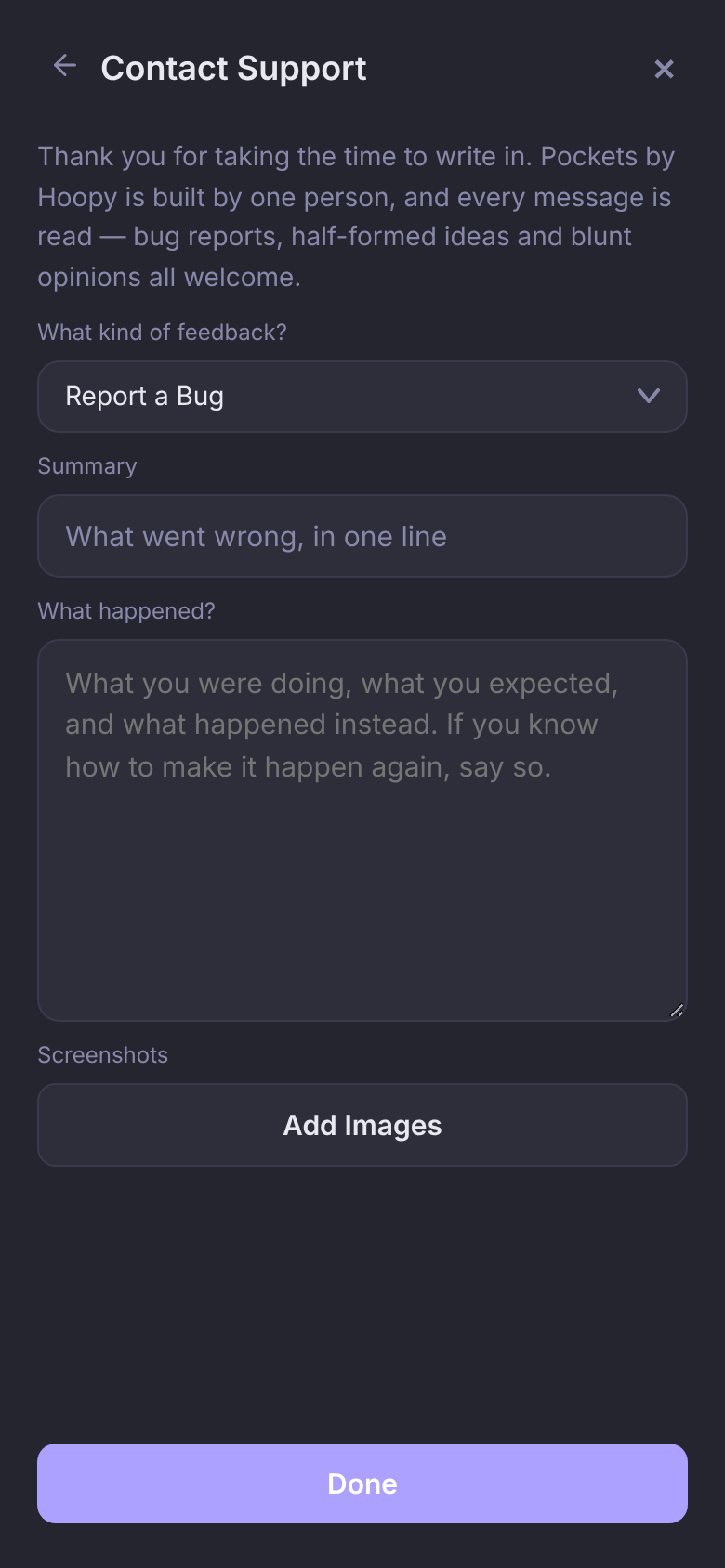
- Pick what kind: Report a Bug, Request a Feature, Ask a Question or Product Feedback.
- Write a one-line summary and as much detail as you like. Add Images attaches screenshots.
- Tap Send.
Rather talk it through? Join the Discord.
Questions
Why did my Pockets fund the night before payday?
Your time zone is probably set to one east of you. Check Profile → Preferences → Time Zone and pick yours.
Will Currency Format convert my balances?
No. It only changes how numbers are written. Amounts stay in each account's own currency.