
Connect Your Bank
Connect once and your balance and transactions come in on their own, so Good to Go always starts from the money you really have.
Connect a bank or credit card
Connections go through Plaid, the service many finance apps use to connect banks. You sign in with your bank directly, and we never see your bank password. The connection is read-only: Pockets can read your balance and transactions, and it can never move money.
- Tap Funds at the bottom of the screen.
- Next to Accounts, tap + Account, then Link Bank or Credit Card.
- Find your bank, sign in, and pick the accounts you want to share.
- Pockets pulls in your transaction history. When it says You're all set!, tap Done.
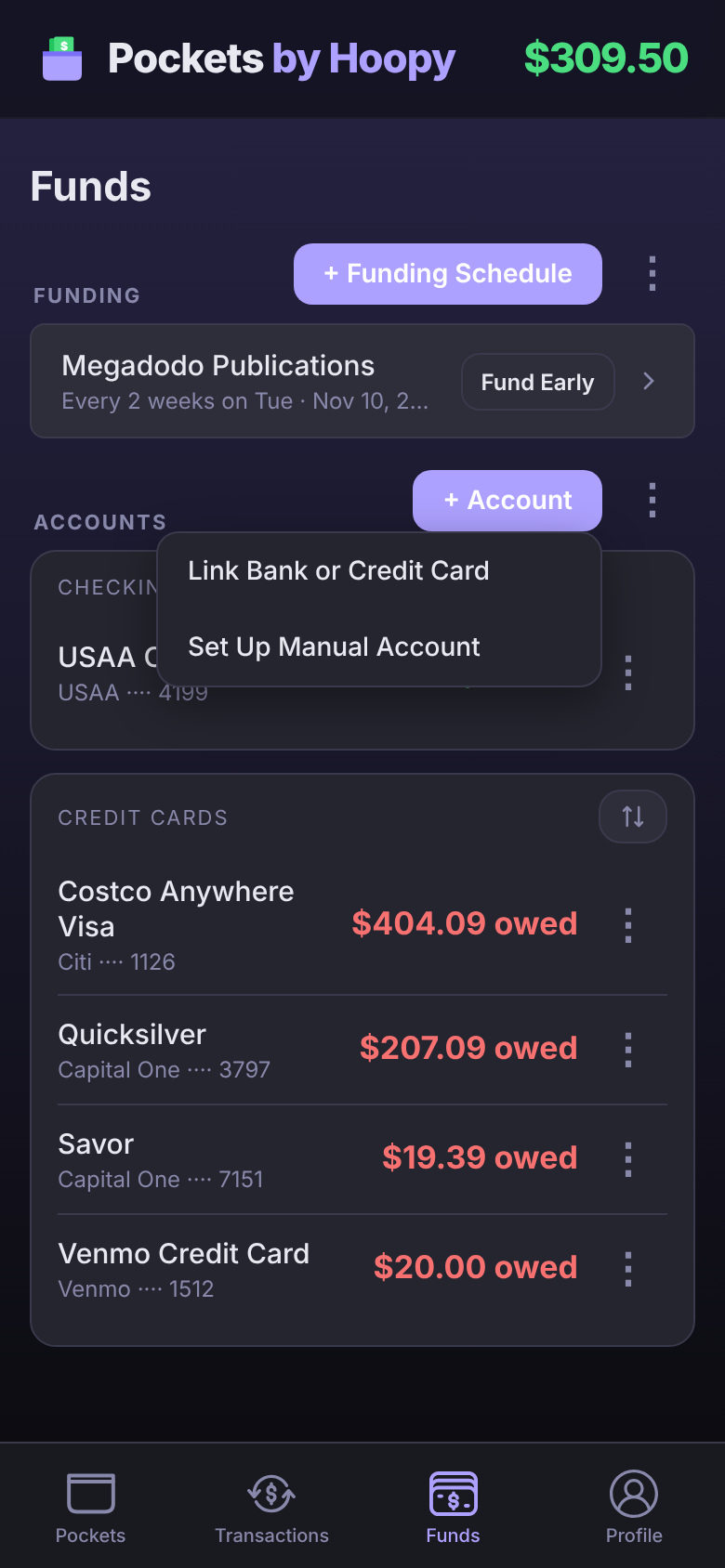
Connected a credit card? Pockets then asks you to set up the card's payment Pocket. See Credit Cards.
Choose what counts toward Good to Go
Good to Go is the balance of the accounts you include, minus everything in your Pockets. Checking accounts are included when you connect them. Savings accounts start out left out, so money you're saving isn't counted as money to spend.
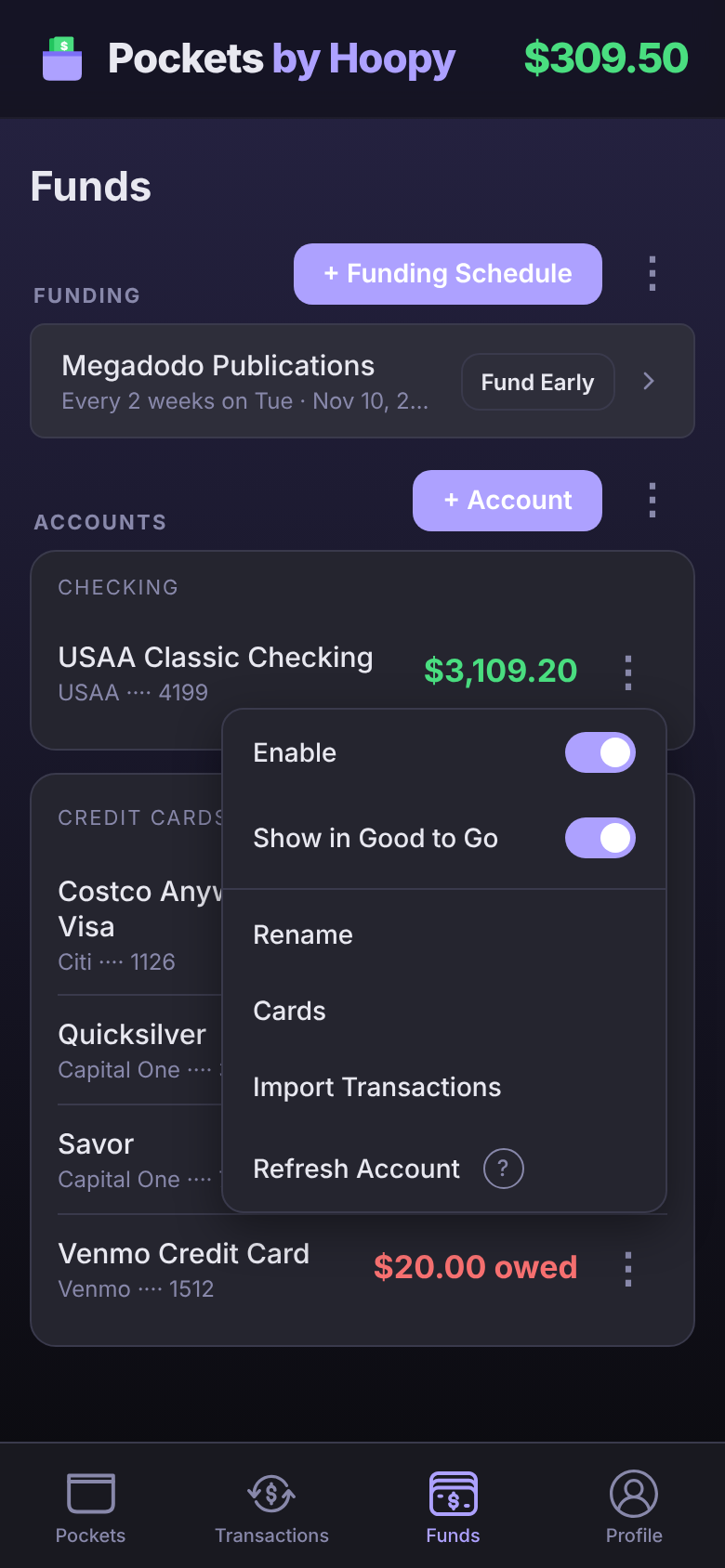
To change it, tap an account's ⋮ on Funds:
- Show in Good to Go adds the account's balance to Good to Go, or takes it out. Say your checking has $3,109.20 and your savings $2,500: with only checking on, Good to Go starts from $3,109.20.
- Enable brings the account's transactions into the app. Turn it off for an account you don't want to see.
Credit cards, loans and investments never count toward Good to Go, so they have no Show in Good to Go switch.
When your bank asks you to sign in again
Every so often a bank asks you to sign in again before it shares any more of your information. Until you do, new transactions and balances from that bank stop coming in.
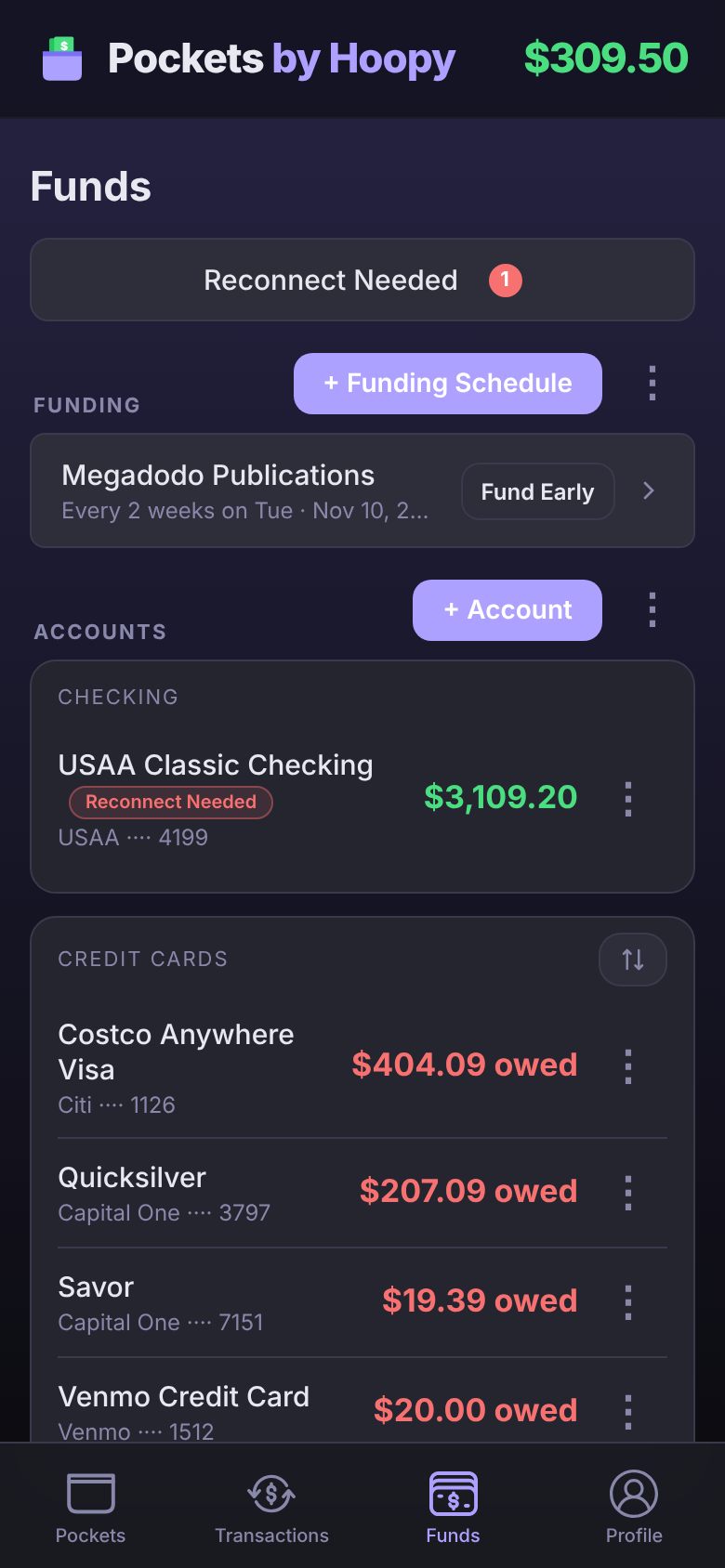
When it happens, Pockets tells you once: a notification (if you have notifications on) and an email titled "Your bank needs you to sign in again". On Funds you'll see Reconnect Needed at the top, and a red Reconnect Needed tag on each account it affects.
- Tap Reconnect Needed on Funds.
- Sign in to your bank in the window that opens.
Nothing is lost while it waits. Once you sign in, everything catches up. If more than one bank needs it, Reconnect Needed opens your connections, and each one that needs signing in has its own Reconnect button.
Refreshing
Your connected accounts refresh on their own at least once a day. With Premium you can pull the latest whenever you want: tap the account's ⋮, then Refresh Account.
A refresh always brings your current balance. Some banks are slower to share the transaction itself, so a purchase can show up a day or two after your balance already reflects it. If you've just spent money and want Good to Go to show it now, add it yourself from Transactions → + Transaction → Manual Entry.
Disconnecting
- On Funds, tap the ⋮ next to + Account, then Manage Connections. (It's also at Profile → Connections.)
- Tap the bank's ⋮, then Disconnect.
- Tap Disconnect again to confirm.
This stops Pockets reading that bank, removes it from your connections and deletes its transaction history in the app.
Free and Premium
Connecting more than one bank, and refreshing whenever you want, are part of Premium.
Get Premium- Free: one bank connection, with every account on it, credit cards included. As many manual accounts as you like. Accounts refresh on their own at least once a day.
- Premium: connect all your banks and credit cards, refresh whenever you want, and turn on Credit Card Integration.
Manual accounts never count as a connection. See Manual Accounts.
Questions
Which countries can I connect a bank in?
Bank connections go through Plaid, which covers the United States, Canada, the United Kingdom, Ireland and much of Europe. If Plaid doesn't list your bank, add a manual account instead. It works anywhere, in your own currency.
I skipped an account when I connected. How do I add it?
Open Manage Connections, tap that bank's ⋮, then Reconnect. Plaid lets you choose your accounts again.
A purchase isn't showing yet, but my balance changed.
Some banks share the balance before the transaction, and some don't share pending purchases at all. The purchase appears once it posts, usually within a day or two. Your Good to Go already counts it, because it starts from your balance.
Can Pockets move money out of my bank?
No. The connection is read-only. Pockets reads your balance and transactions to do the math, and it can't move, withdraw or send money.