
Loans and Investments
See what you owe and what you've invested in one place, without either one muddying your spending. Every loan comes with a payoff plan.
Their own groups on Funds
Connected loans (personal, auto, student, mortgage) show under Loans. Brokerage, retirement and HSA accounts show under Investments.
- A loan shows what you owe, like $8,420.17 owed. Once it knows the rate and payment, it adds when it's paid off: "Paid off around Jun 2029".
- An investment shows what it's worth, from your bank's latest update.
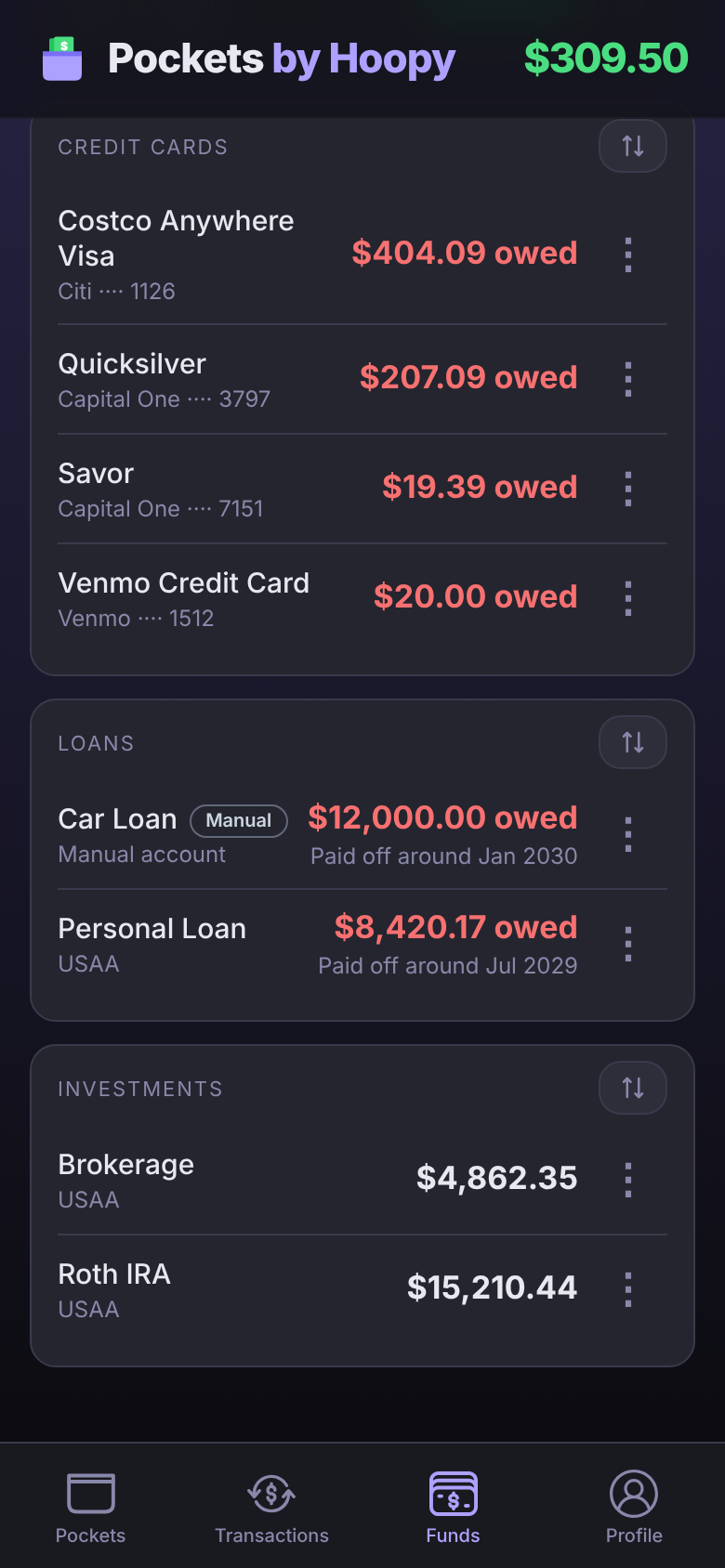
A newly connected loan or investment can arrive switched off and grayed out. Tap its ⋮ and turn on Enable to bring in its transactions.
Never counted as spending
Neither a loan nor an investment counts toward Good to Go. What you owe, or what you've invested, isn't money to spend. Their transactions (interest, the loan's side of a payment, money moving into an investment) still show in Transactions, but they stay out of your spending and insights, and they can't go in a Pocket.
Your loan payment still counts once, from checking. Make a Pocket for it, like a $400.00 monthly "Car Loan" Pocket, and when the payment leaves checking, open it and pick that Pocket.
Payoff Plan
- On Funds, tap the loan's ⋮, then Payoff Plan.
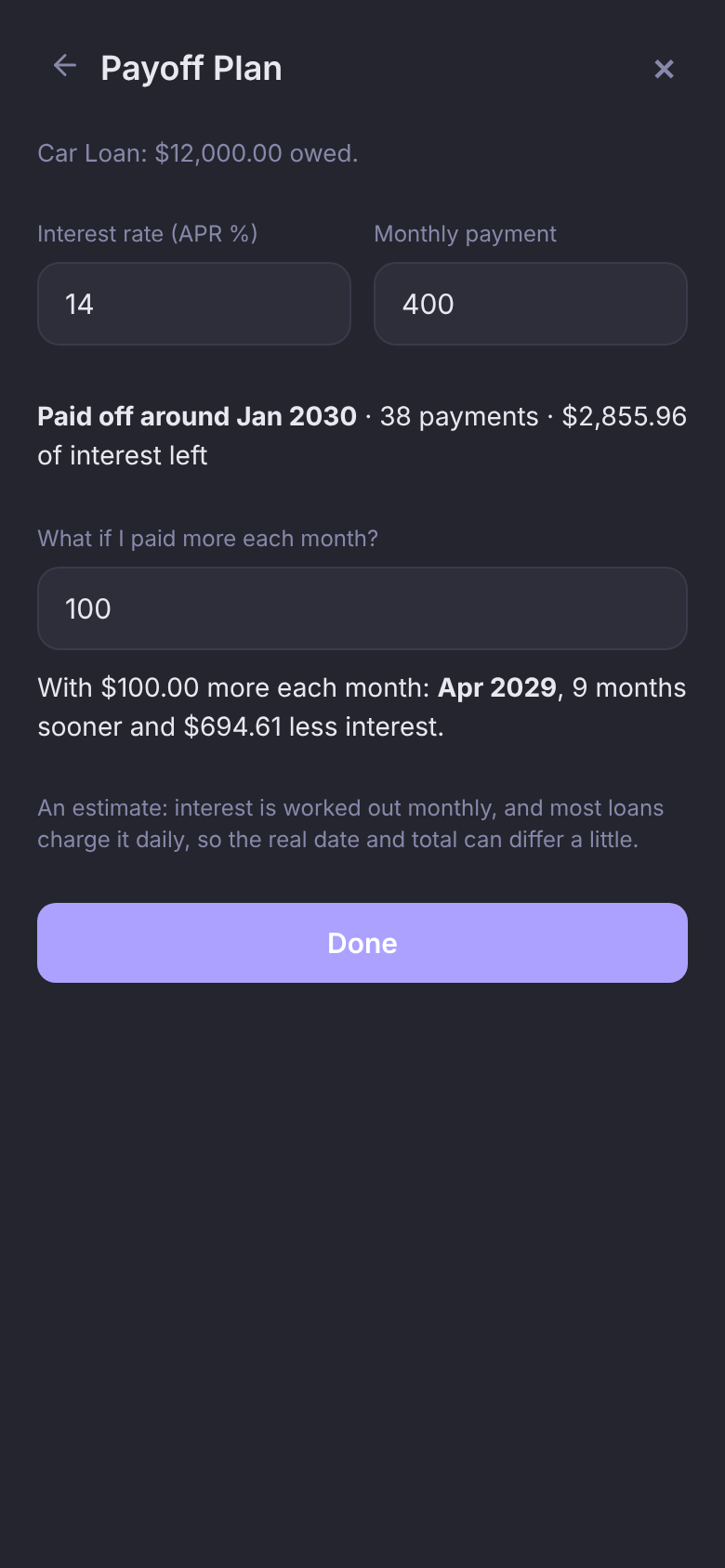
- Enter the Interest rate (APR %) and Monthly payment from your statement. On a connected loan the payment fills itself in from the loan's activity; the rate you enter yourself, because it doesn't come through with the connection.
- Read when it's paid off, how many payments are left and how much interest you'll pay.
- Tap Save to keep the rate and payment for next time.
Then try What if I paid more each month? Type an extra amount to see how much sooner you'd finish and how much interest you'd save.
$12,000 at 14% with a $400 payment is paid off in 38 payments, with $2,855.96 of interest left. Add $100 a month and it's done 9 months sooner, with $694.61 less interest.
It's an estimate. The plan works interest out monthly, and most loans charge it daily, so the real date and total can differ a little. On a connected loan, the balance your bank reports includes interest since your last payment; Payoff Plan shows that split and starts from what you still owe on the loan itself.
Manual loans
No bank connection for your loan? Add it by hand.
- On Funds, tap + Account → Set Up Manual Account.
- Set Type to Loan.
- Enter the Amount owed, what's left to pay, as a positive number. Add the interest rate and monthly payment too, if you have them, and the paid-off date shows on Funds right away.
- Tap Add Account.
Add the loan's interest and payments as transactions on it: interest raises what you owe, payments lower it. Already set it up as a credit card? Tap its ⋮ → Change Account Type and pick Loan. The amount owed carries over.
Questions
Why is my loan's payment counted only once?
A loan payment shows up twice: leaving checking, and arriving on the loan. Pockets counts the checking side, in the Pocket you pick for it, and treats the loan's side as a transfer.
Payoff Plan says "Not paid off at this payment."
The payment doesn't cover the interest charged each month, so the balance never goes down. Check the rate and payment against your statement, or try a larger amount in the what-if.