What's New › November 3, 2026
A Redesigned Good to Go
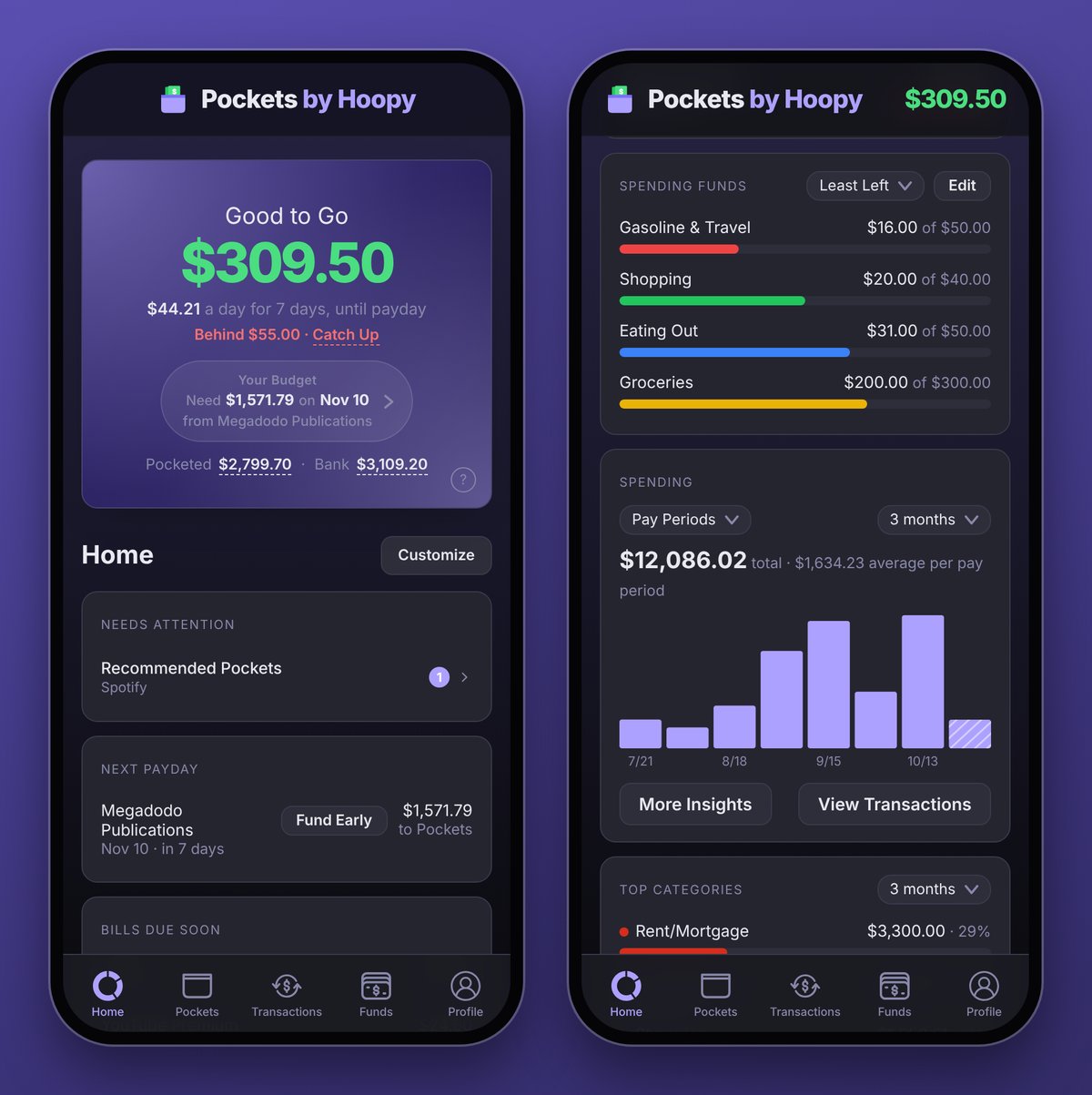
One box at the top now tells you what you can spend, what's behind, and where your money is.
The Good to Go box
- What you can spend each day. Under your Good to Go: "$44.21 a day for 7 days, until payday", spread over the days to your next paycheck.
- Behind? Fix it on the spot. When a bill can't be fully funded in time, "Behind $55.00 · Catch Up" shows up. Tap Catch Up to put the money in now.
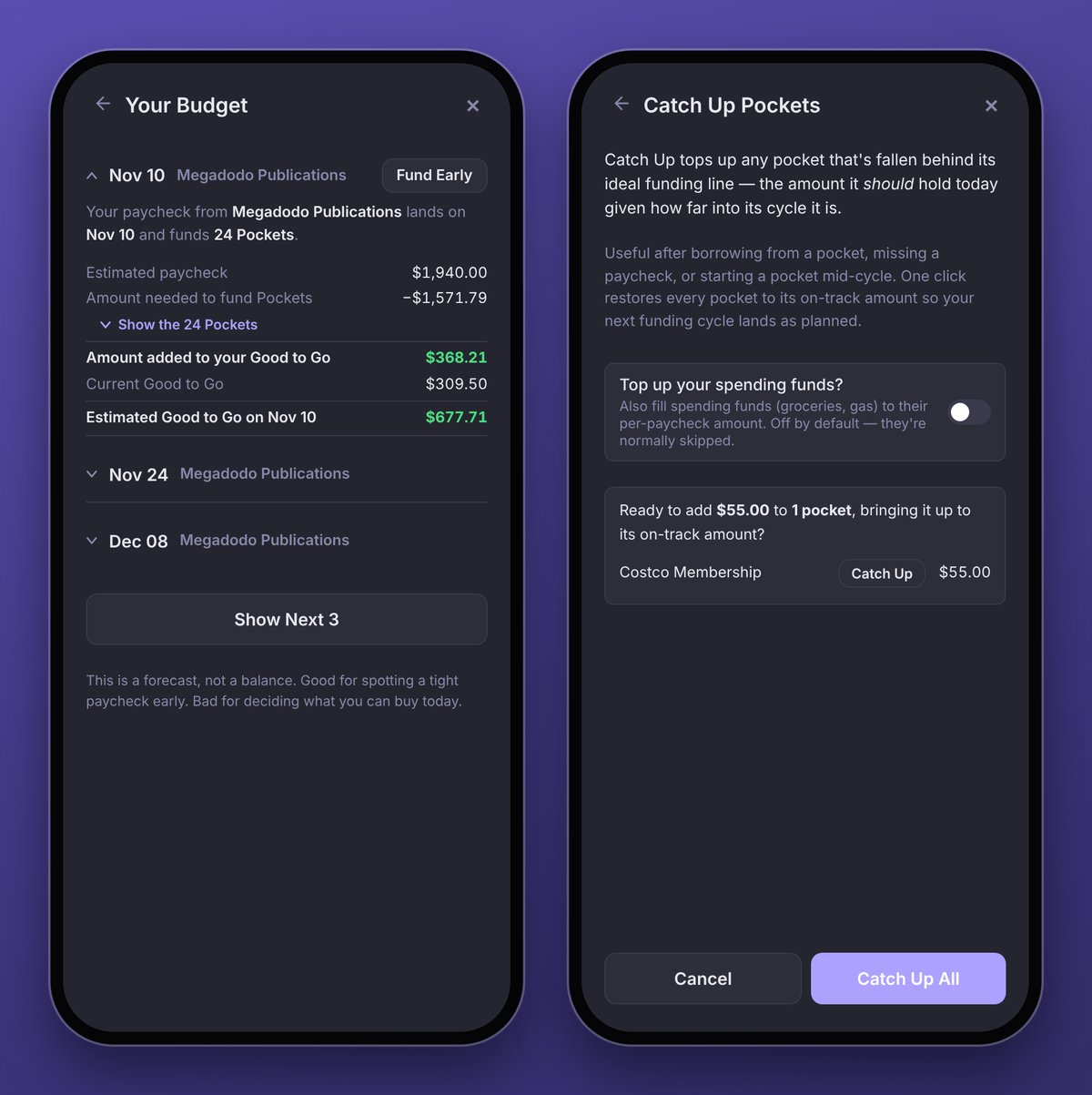
- Your Budget, one tap away. Your Budget shows your next paycheck: "Need $1,571.79 on Nov 10, from Megadodo Publications". Tap it to see what each upcoming paycheck funds and what it leaves you.
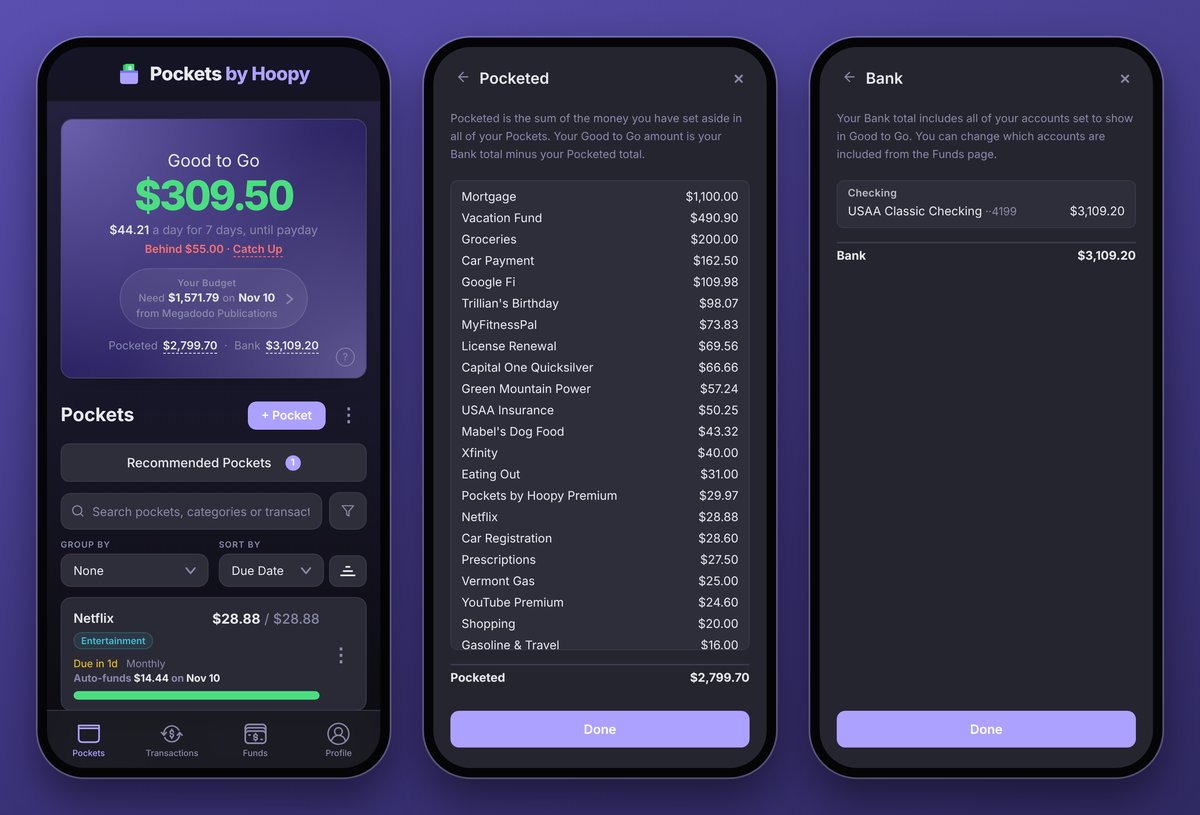
- See what makes up the number. "Pocketed $2,799.70 · Bank $3,109.20" sits under Your Budget. Tap Bank to see exactly which accounts count toward Good to Go, or Pocketed for every Pocket holding money, largest first.
$3,109.20 in the bank minus $2,799.70 Pocketed is $309.50 Good to Go: $44.21 a day until your Nov 10 paycheck.
Learn more in the Good to Go guide.
Fund Early and Catch Up
- Fund Now is now Fund Early. Fund your Pockets before payday from each schedule on Funds, or tap Your Budget and it's right beside your next paycheck. The Catch Up and Fund Now buttons on the Pockets screen are gone, since both now live where you need them.
- Catch up one Pocket, or all of them. Catch Up lists every Pocket that's short, each with its own Catch Up button, plus Catch Up All at the bottom.
Learn more about Fund Early and Catch Up.
Pocket Details
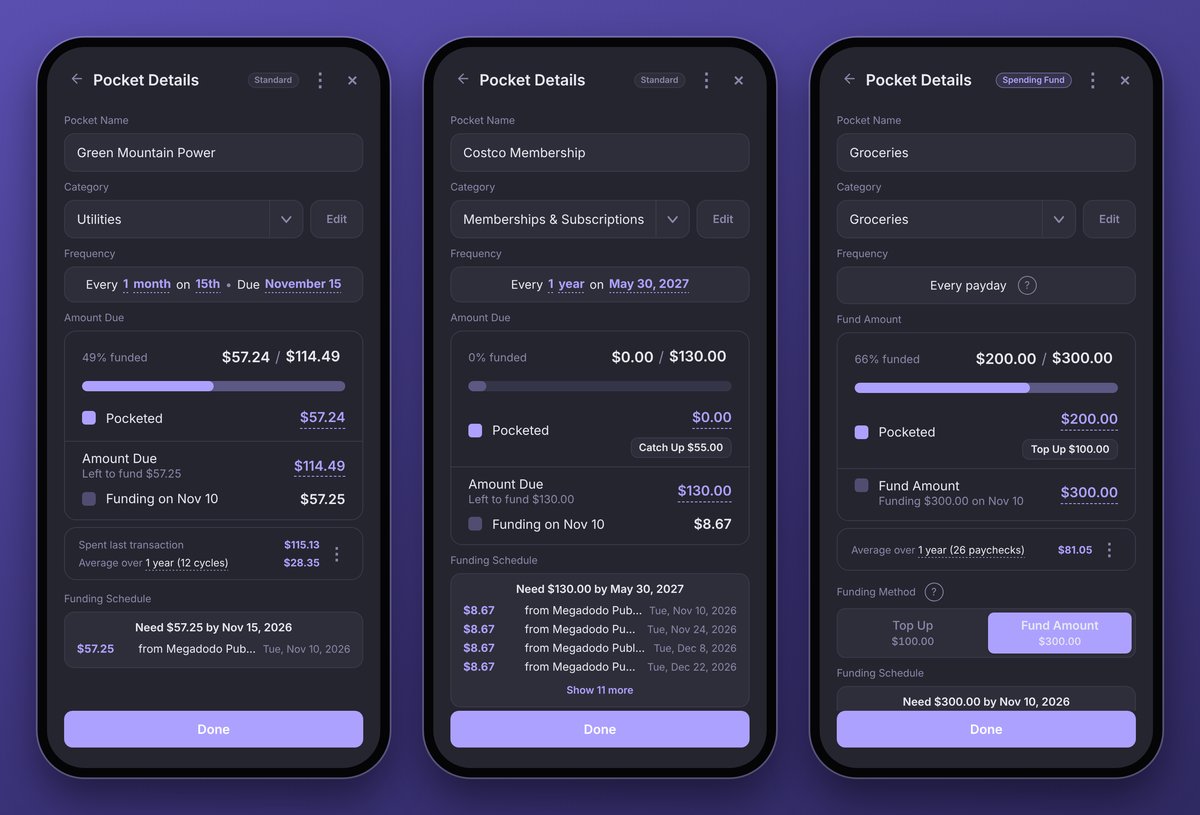
Every Pocket opens to Pocket Details, which now reads top to bottom: name, category, when it's due, then the money.
- Its type at a glance. Standard, Spending Fund or Savings Goal, right beside the ⋮.
- When, in one sentence. "Every 1 month on 15th · Due November 15". Tap any underlined part to change it.
- How funded, up top. "49% funded", then $57.24 of $114.49, with the bar right under it.
- Catch Up and Top Up right where the money is. Under Pocketed: "Catch Up $55.00" on a bill that's behind, "Top Up $100.00" on a Spending Fund you've spent from.
Learn more in Managing Pockets.
Also new
- The Help Center. Step-by-step guides for everything from your first Pocket to connecting Claude or ChatGPT, with answers to common questions. Open it from Profile → Support → Help Center, or at pockets.byhoopy.com/help.
- Search ignores punctuation: "michaels" finds Michael's.
- Pick your beta features one by one in Profile → Preferences → Beta Features.
- Smaller improvements and fixes are now listed in Updates.
Try it early: Home (Beta)
A home screen that opens on Good to Go, then the cards you choose: your Next Payday, Bills Due Soon, Spending Funds and Savings Goals with their progress, Shared Pockets, and Account Balances with Net Worth. Premium adds Spending by pay period and Top Categories. Anything that needs you, like a bank to reconnect or a possible duplicate, shows at the top on its own. Turn it on in Profile → Preferences → Beta Features.