
Home
Home is the screen Pockets by Hoopy opens to: your Good to Go at the top, then the cards you choose, so the day's money is on one screen.
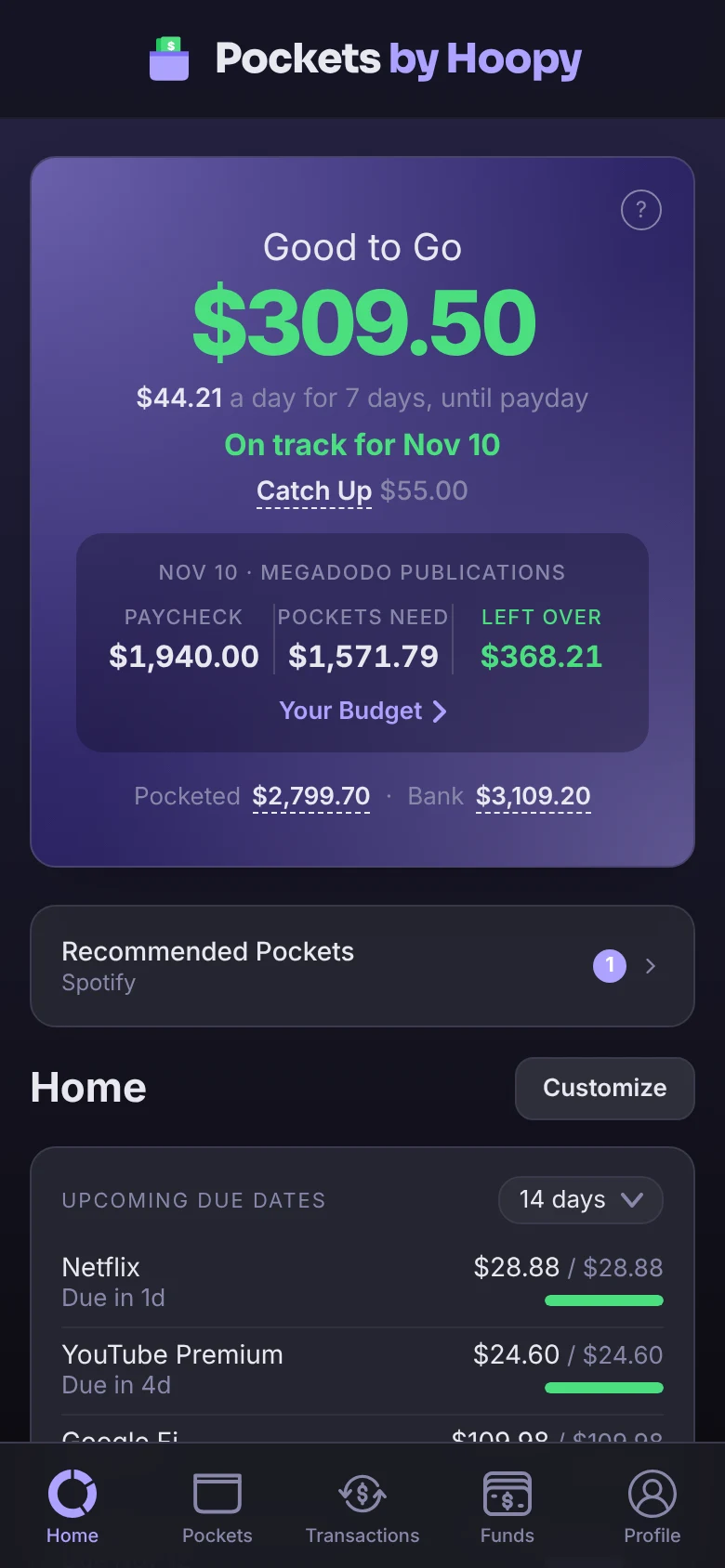
Good to Go
The box at the top is your Good to Go: what you can spend without shorting a bill. Under it, a line says whether your next paycheck covers your Pockets, like On track for Nov 10, and each upcoming paycheck shows what it is, what your Pockets need from it and what's left over. Tap the paychecks to open Your Budget. See Good to Go, Explained.
When something needs you, like a bank to reconnect, a possible duplicate or a Recommended Pocket, it shows right under Good to Go, above your cards. Tap it to deal with it. It's gone once nothing is waiting, and it can't be turned off.
The cards
- Upcoming Due Dates: your bills, soonest first, each with what's Pocketed out of what it needs, like $1,100.00 / $1,650.00, and a small bar. Purple means it's still filling, red means it's behind, and green means it's fully funded. Tap the range to look ahead Before Paycheck, 7 to 60 days, at All Pockets, or a Custom number of days or weeks. Tap a bill to open it.
- Spending Funds and Savings Goals: what each holds and its progress. Pick a sort from the menu at the top of the card, or tap Edit beside it to choose which show and drag them into your own order, then tap Done.
- Shared Pockets: every Pocket you share, with each person's part. When money is owed between you and someone, an Owed row sits at the top; tap it to Settle Up. The card is hidden when you have nothing shared.
- Account Balances: your accounts by type, with a total for each and your Net Worth at the bottom. Tap Edit at the top of the card to hide an account from it, then tap Done.
- Spending and Top Categories (Premium): where your money went. See Spending Insights.
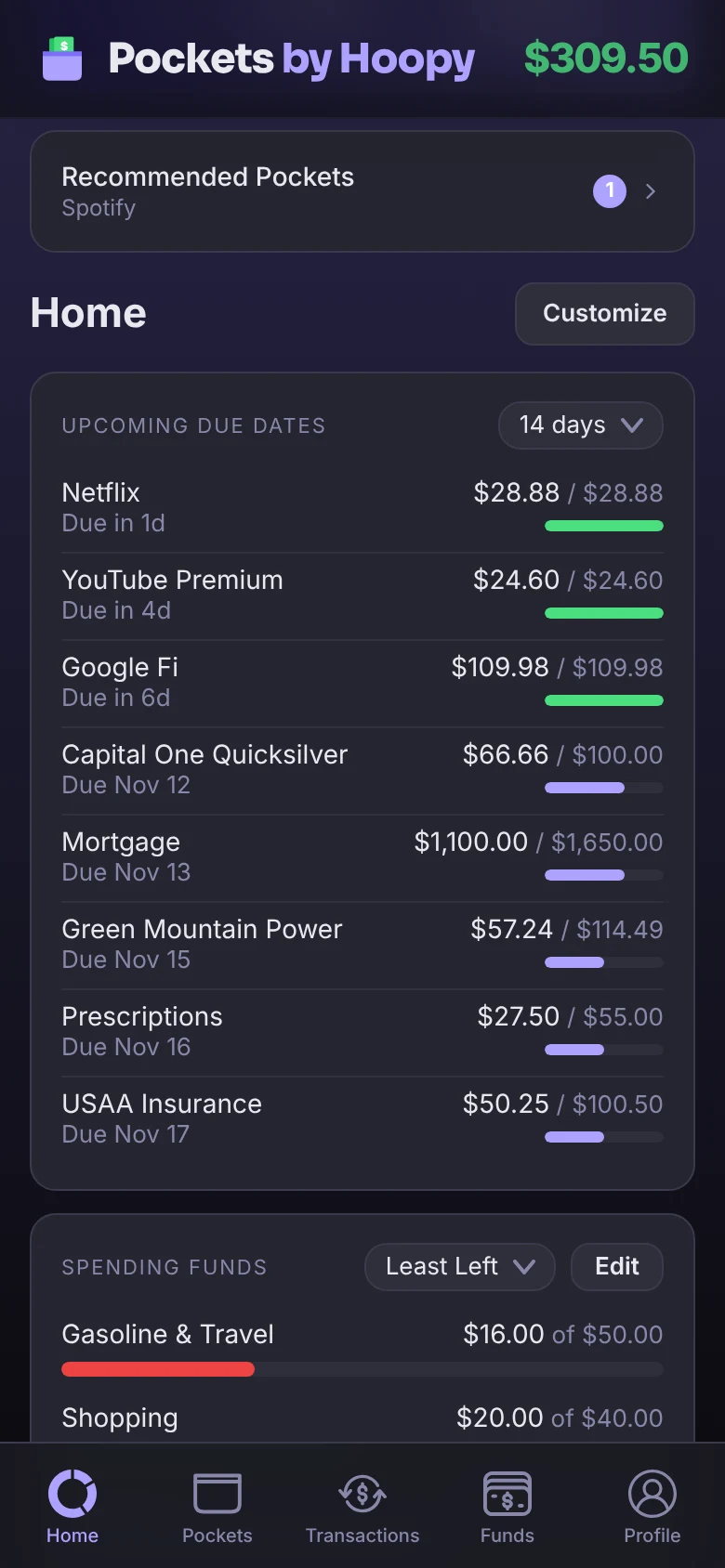
Arrange your cards
- Tap Customize, beside the Home heading.
- Drag a card by its handle to move it, or turn its switch off to hide it.
- Tap Done.
Your layout, sorts and ranges are saved to your account, so Home looks the same on every device you sign in on.
Open somewhere else
Rather open on Pockets, Transactions or Funds? Go to Profile → Preferences → Home Page and pick one. See Preferences.