
Home, a New Good to Go, and Bank Notifications for Everyone
Your money at a glance on one screen, a Good to Go that tells you whether your next paycheck covers your Pockets, and purchases that show up the moment your bank tells you.
A new Good to Go
Good to Go still tells you what's safe to spend. Now it also tells you whether your next paycheck has your Pockets covered.
- Know where you stand at a glance. "On track for Nov 10" when your next paycheck covers your Pockets, or exactly how much you're short when it doesn't.
- See your paychecks coming. What each one brings in, what your Pockets need from it, and what you'll have left.
- Fix a shortfall in one tap. When a bill can't be fully funded in time, Catch Up is right there.
- Trust the number. Tap Pocketed or Bank to see exactly where every dollar sits.
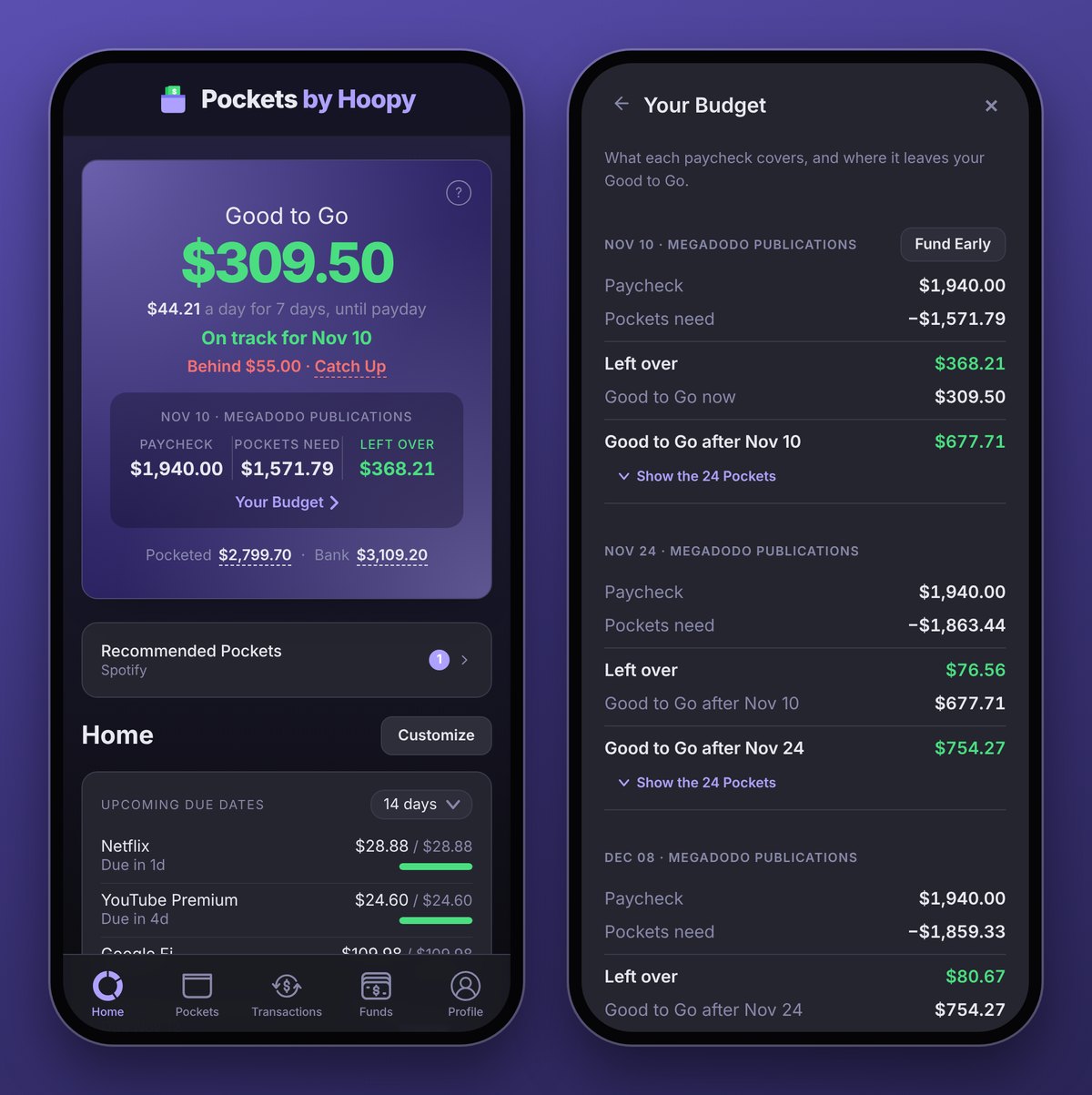
Tap your paychecks to open Your Budget and see, paycheck by paycheck, when you'll be back in the green.
Learn more in the Good to Go guide.
Home
Everything that matters, on the screen Pockets opens to. Anything that needs you, like a bank to reconnect, waits right under Good to Go.
- No surprise bills. Upcoming Due Dates shows what's coming and whether each bill is ready, as far ahead as you want to look.
- Watch your budgets and goals fill. Your Spending Funds and Savings Goals, with their progress.
- Your whole picture. Every account balance, with your Net Worth.
- Shared costs without the math. Shared Pockets shows what everyone has put in and what's owed, if you've turned on the Shared Pockets beta.
- See where your money goes (Premium). Spending charts make a heavy few weeks stand out, and any category breaks down into the Pockets or merchants it went to. Choose View Spending Insights from a Pocket or category's ⋮ to see how much of your total spending it is.
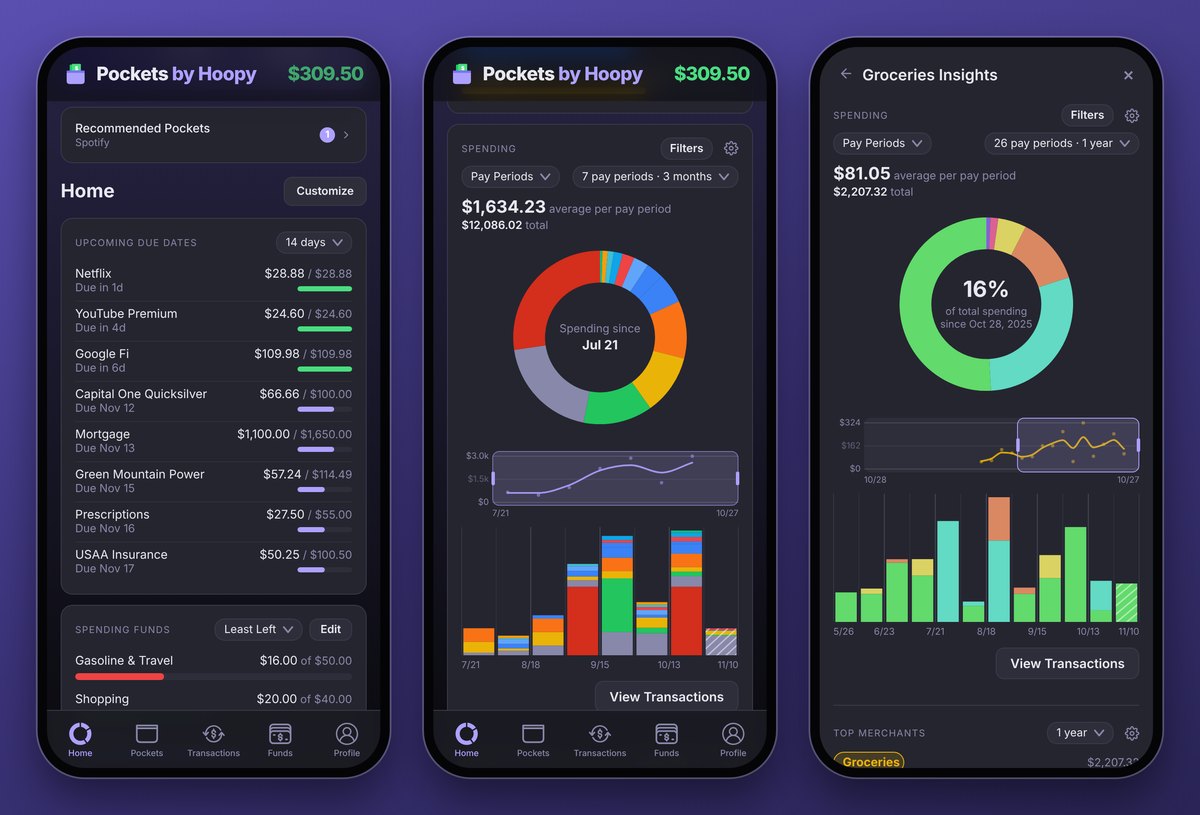
Tap Customize to put the cards you care about first. Prefer to open on Pockets? Choose your start screen in Profile → Preferences → Home Page. Learn more in the Home guide and Spending Insights.
Bank Notifications, for everyone (Premium)
See a purchase in Pockets the moment your bank tells you about it, already in the right Pocket, so Good to Go is right before your bank catches up. When the bank's own transaction arrives, the two become one.
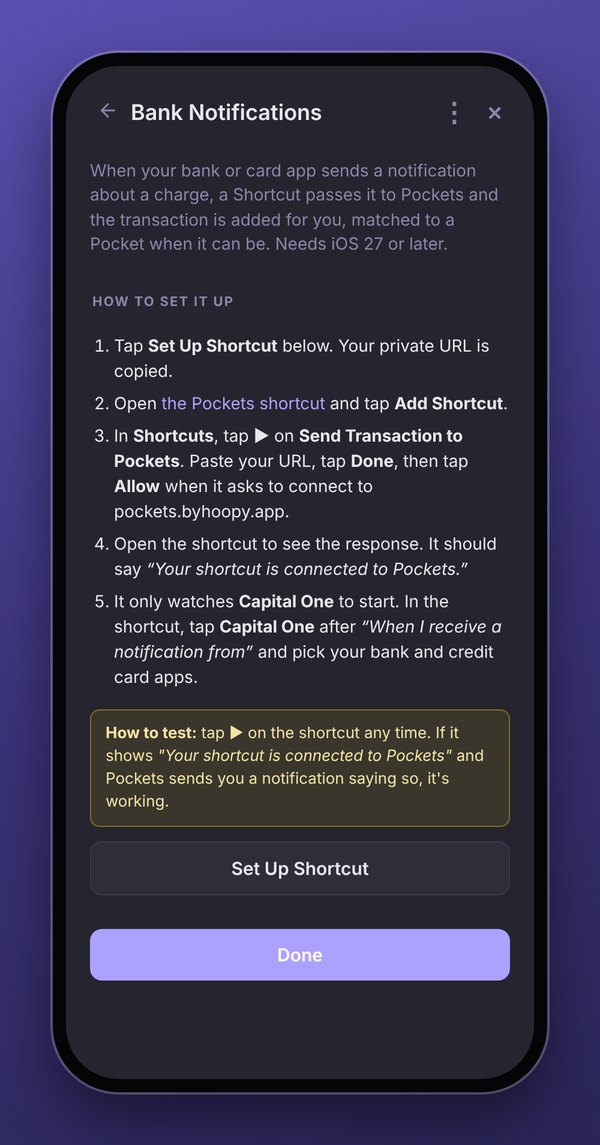
It's out of beta, so you'll find it in Profile → Bank Notifications on your phone. To set it up, you'll need:
- iPhone: iOS 27 or later, and a Shortcut that takes a couple of minutes to make.
- Android: an automation app like MacroDroid.
Step-by-step instructions are in the Bank Notifications guide.